URP - RendererFeature :ScreenSpaceOutline
继承类别
对于RendererFeature就是C#脚本,不过继承类别是ScriptableRendererFeature和ScriptableRenderPass 一个负责注册,一个负责执行
1
2
3
4
 // ========== Feature 类:负责创建和注册 Pass ==========
public class ScreenSpaceOutline : ScriptableRendererFeature
// ========== Pass 类:负责实际渲染指令 ==========
internal class ScreenSpaceOutlinePass : ScriptableRenderPass
固定必须实现的函数
Feature类:
-
Create()— 初始化。只跑一次(或资源变动时重跑)。在这里new Material、new Pass,做一切”准备工作”。 -
AddRenderPasses(ScriptableRenderer renderer, ref RenderingData renderingData)— 注册。每帧跑一次。在这里把Pass加入渲染队列,顺便把当帧参数传给Pass。不做初始化,不发GPU指令。
Pass类:
-
Execute(ScriptableRenderContext context, ref RenderingData renderingData)— 每帧到了指定的renderPassEvent时机就跑。在这里写CommandBuffer,发真正的GPU渲染指令。
这三个不写会报编译错误,因为基类里是abstract的。
Feature类
Create()
初始化数据
例如:
1
2
3
 if (outlineShader == null) return; // shader 没赋值就跳过
outlineMaterial = new Material(outlineShader);
m_Pass = new ScreenSpaceOutlinePass(outlineMaterial);
指定插入时机
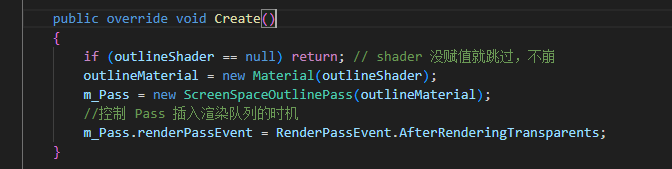 除了初始化,还需要指定Feature的插入时机,这个成员是ScriptableRenderPass类下的renderPassEvent
1
2
 //控制 Pass 插入渲染队列的时机
m_Pass.renderPassEvent = RenderPassEvent.AfterRenderingTransparents;
- 需要深度图 → 至少
AfterRenderingPrePasses之后 - 需要完整场景画面 →
AfterRenderingOpaques之后 - 想让被Bloom等晕染 →
AfterRenderingTransparents - 想让不受后处理影响 →
AfterRenderingPostProcessing
1
2
3
4
5
6
7
8
9
10
11
12
13
14
15
16
17
18
19
20
21
22
23
24
 BeforeRendering                 // 最早,什么都还没渲染
    ↓
BeforeRenderingShadows          // Shadow Pass之前
AfterRenderingShadows           // Shadow Pass之后
    ↓
BeforeRenderingPrePasses        // 深度预Pass之前
AfterRenderingPrePasses         // 深度预Pass之后(深度图已可用)
    ↓
BeforeRenderingGbuffer          // G-Buffer之前
AfterRenderingGbuffer
    ↓
BeforeRenderingOpaques          // 不透明物体之前
AfterRenderingOpaques           // 不透明物体之后
    ↓
BeforeRenderingSkybox           // 天空盒之前
AfterRenderingSkybox
    ↓
BeforeRenderingTransparents     // 透明物体之前
AfterRenderingTransparents      // 透明物体之后 ← 你现在用的
    ↓
BeforeRenderingPostProcessing   // 后处理之前
AfterRenderingPostProcessing    // 后处理之后
    ↓
AfterRendering                  // 最晚
AddRenderPasses()
传参
每帧把参数写入 material,设渲染队列 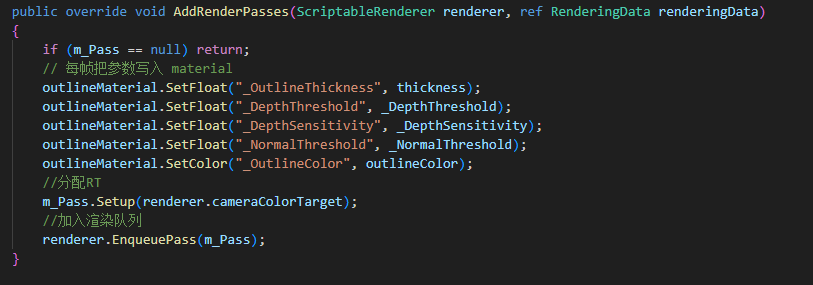
Pass 类
初始化
设置参数初始化 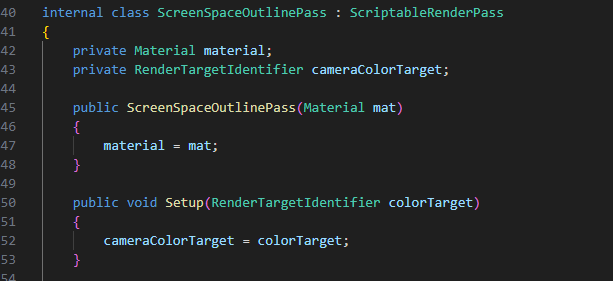
Execute()
指定RT和Pass,因为RT不能同时读取和写入,所以要先拷贝 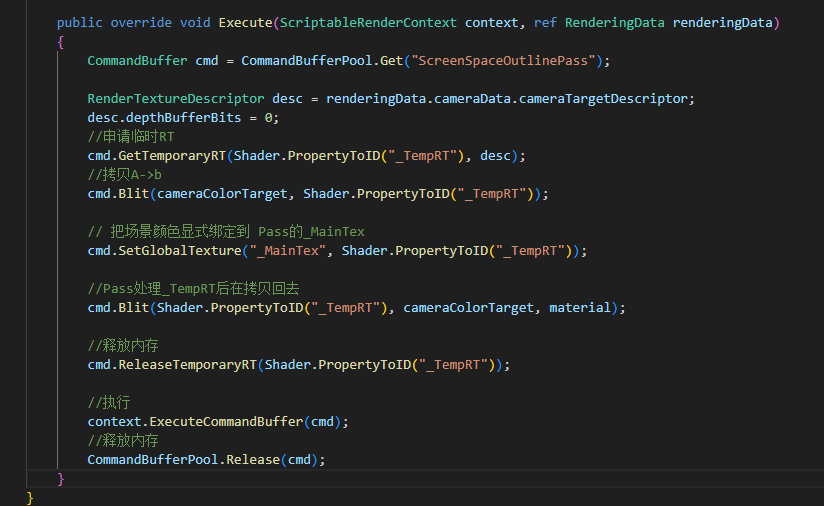
C#完整代码
1
2
3
4
5
6
7
8
9
10
11
12
13
14
15
16
17
18
19
20
21
22
23
24
25
26
27
28
29
30
31
32
33
34
35
36
37
38
39
40
41
42
43
44
45
46
47
48
49
50
51
52
53
54
55
56
57
58
59
60
61
62
63
64
65
66
67
68
69
70
71
72
73
74
75
76
77
78
79
80
81
82
83
84
85
86
87
88
89
90
91
 using UnityEngine;
using UnityEngine.Rendering;
using UnityEngine.Rendering.Universal;

// ========== Feature 类:负责创建和注册 Pass ==========
public class ScreenSpaceOutline : ScriptableRendererFeature
{
    public Shader outlineShader;
    [Range(0.5f, 5f)] public float thickness = 1f;
    [Range(0f, 10f)]   public float _DepthThreshold = 0.5f;
    [Range(0f, 50f)]   public float _DepthSensitivity = 10f;
    [Range(0f, 20.0f)]   public float _NormalThreshold = 0.5f;
    public Color outlineColor = Color.black;

    private Material outlineMaterial;
    private ScreenSpaceOutlinePass m_Pass;

    public override void Create()
    {
        if (outlineShader == null) return; // shader 没赋值就跳过,不崩
        outlineMaterial = new Material(outlineShader);
        m_Pass = new ScreenSpaceOutlinePass(outlineMaterial);
        //控制 Pass 插入渲染队列的时机
        m_Pass.renderPassEvent = RenderPassEvent.AfterRenderingTransparents;
    }

    public override void AddRenderPasses(ScriptableRenderer renderer, ref RenderingData renderingData)
    {
        if (m_Pass == null) return;
        // 每帧把参数写入 material
        outlineMaterial.SetFloat("_OutlineThickness", thickness);
        outlineMaterial.SetFloat("_DepthThreshold", _DepthThreshold);
        outlineMaterial.SetFloat("_DepthSensitivity", _DepthSensitivity);
        outlineMaterial.SetFloat("_NormalThreshold", _NormalThreshold);
        outlineMaterial.SetColor("_OutlineColor", outlineColor);
        //分配RT
        m_Pass.Setup(renderer.cameraColorTarget);
        //加入渲染队列
        renderer.EnqueuePass(m_Pass);
    }
}

// ========== Pass 类:负责实际渲染指令 ==========
internal class ScreenSpaceOutlinePass : ScriptableRenderPass
{
    private Material material;
    private RenderTargetIdentifier cameraColorTarget;

    public ScreenSpaceOutlinePass(Material mat)
    {
        material = mat;

        //开启法线
        //this.requiresIntermediateTexture = true;
        // 告诉渲染管线此 Pass 需要颜色信息
        ConfigureInput(ScriptableRenderPassInput.Color);
        ConfigureInput(ScriptableRenderPassInput.Normal);
    }

    public void Setup(RenderTargetIdentifier colorTarget)
    {
        cameraColorTarget = colorTarget;
    }

    public override void Execute(ScriptableRenderContext context, ref RenderingData renderingData)
    {
        CommandBuffer cmd = CommandBufferPool.Get("ScreenSpaceOutlinePass");

        RenderTextureDescriptor desc = renderingData.cameraData.cameraTargetDescriptor;
        //申请不带深度的RT
        desc.depthBufferBits = 0;
        //申请临时RT
        cmd.GetTemporaryRT(Shader.PropertyToID("_TempRT"), desc);
        //拷贝A->b
        cmd.Blit(cameraColorTarget, Shader.PropertyToID("_TempRT"));

        // 把场景颜色显式绑定到 Pass的_MainTex
        cmd.SetGlobalTexture("_MainTex", Shader.PropertyToID("_TempRT"));

        //Pass处理_TempRT后在拷贝回去
        cmd.Blit(Shader.PropertyToID("_TempRT"), cameraColorTarget, material);

        //释放内存
        cmd.ReleaseTemporaryRT(Shader.PropertyToID("_TempRT"));

        //执行
        context.ExecuteCommandBuffer(cmd);
        //释放内存
        CommandBufferPool.Release(cmd);
    }
}
描边Pass
这里使用Sobel算子来计算,开销还是比较大的,可以换成其它算子 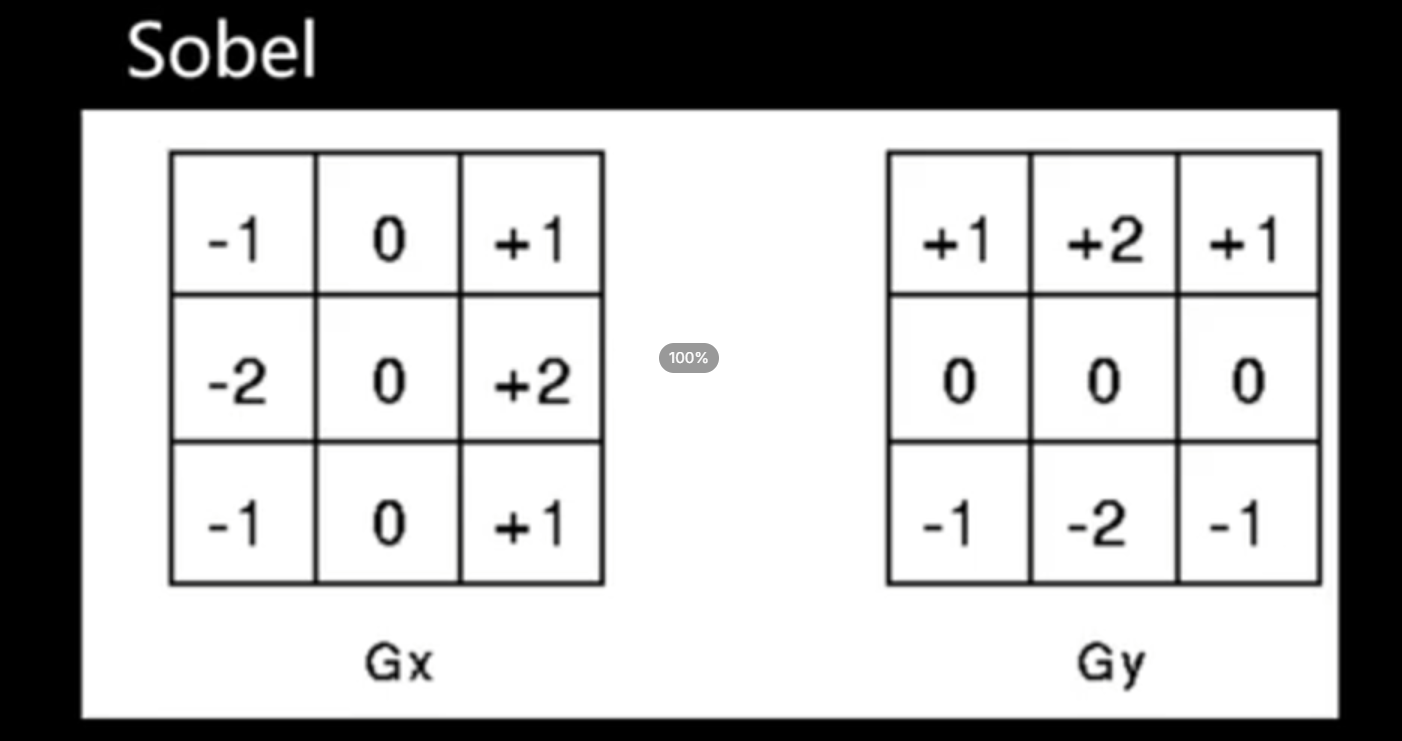
场景深度描边
正常情况下,如果阈值固定,深度计算出的描边会有瑕疵,过小平面会有问题 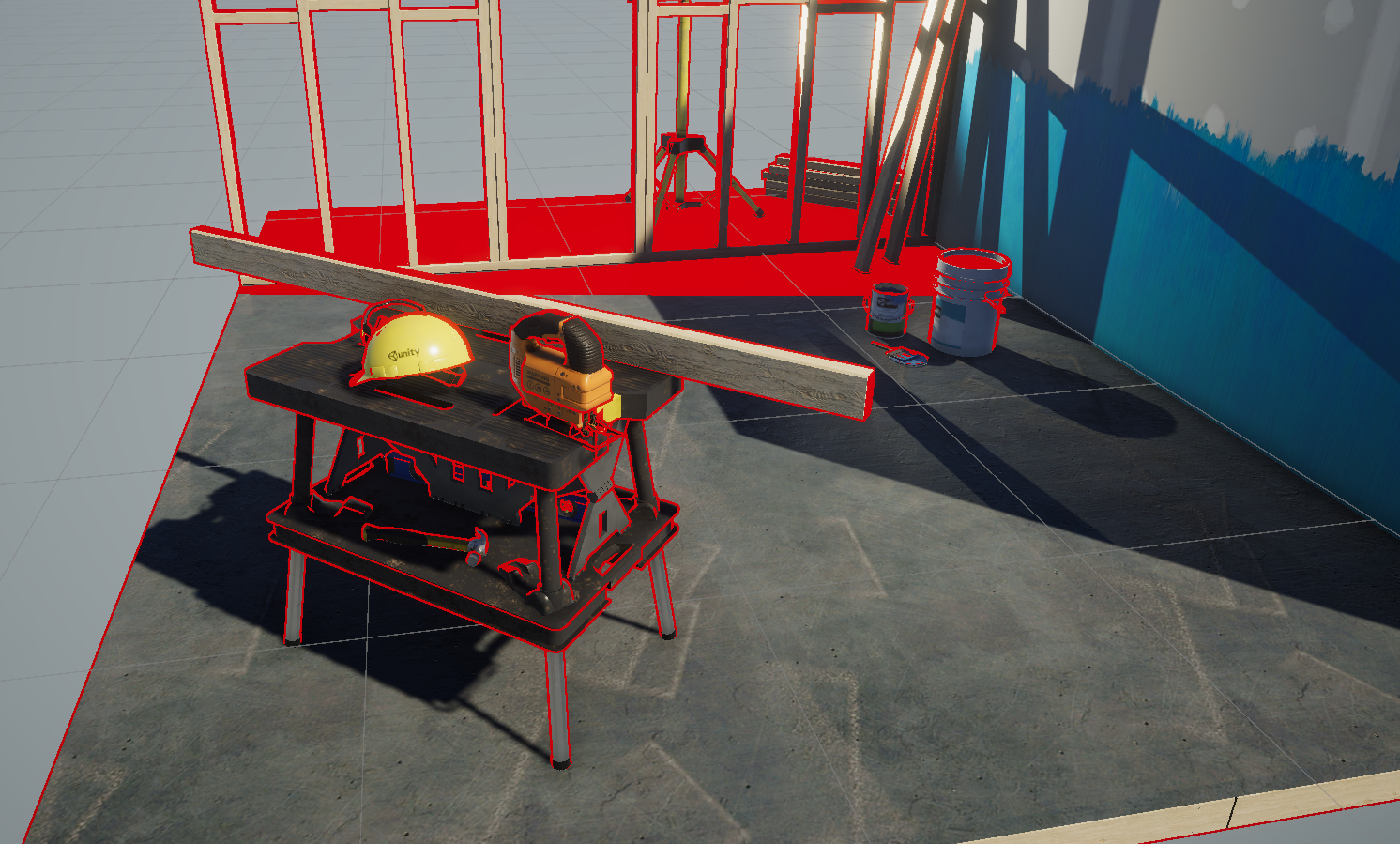 过大,近处描边则会缺失
 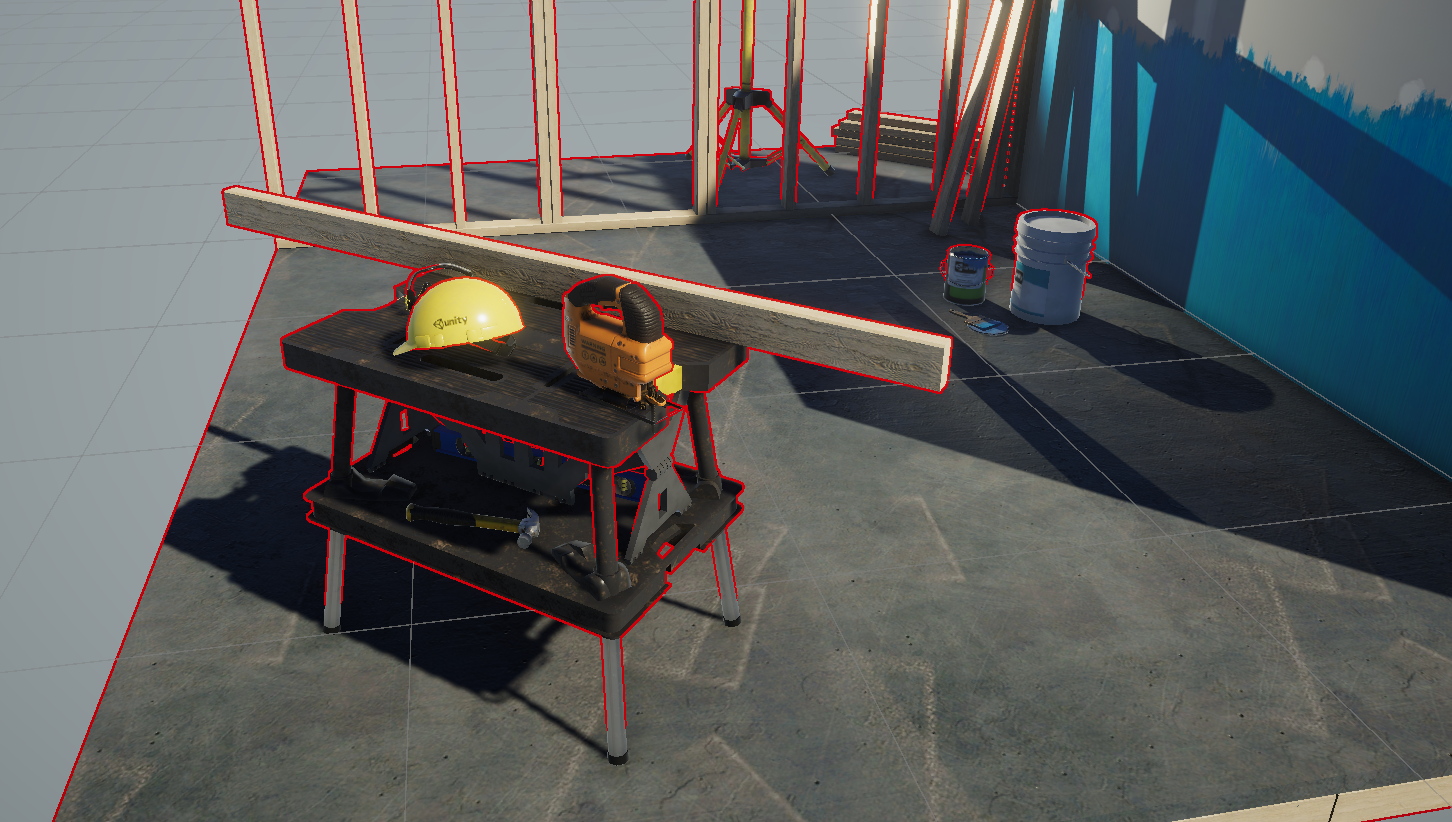 这里使用深度进行适当放大阈值,可以较好解决这个问题
场景法线描边
至于细节方面使用场景法线描边进行混合,阈值小的话还是比较乱的 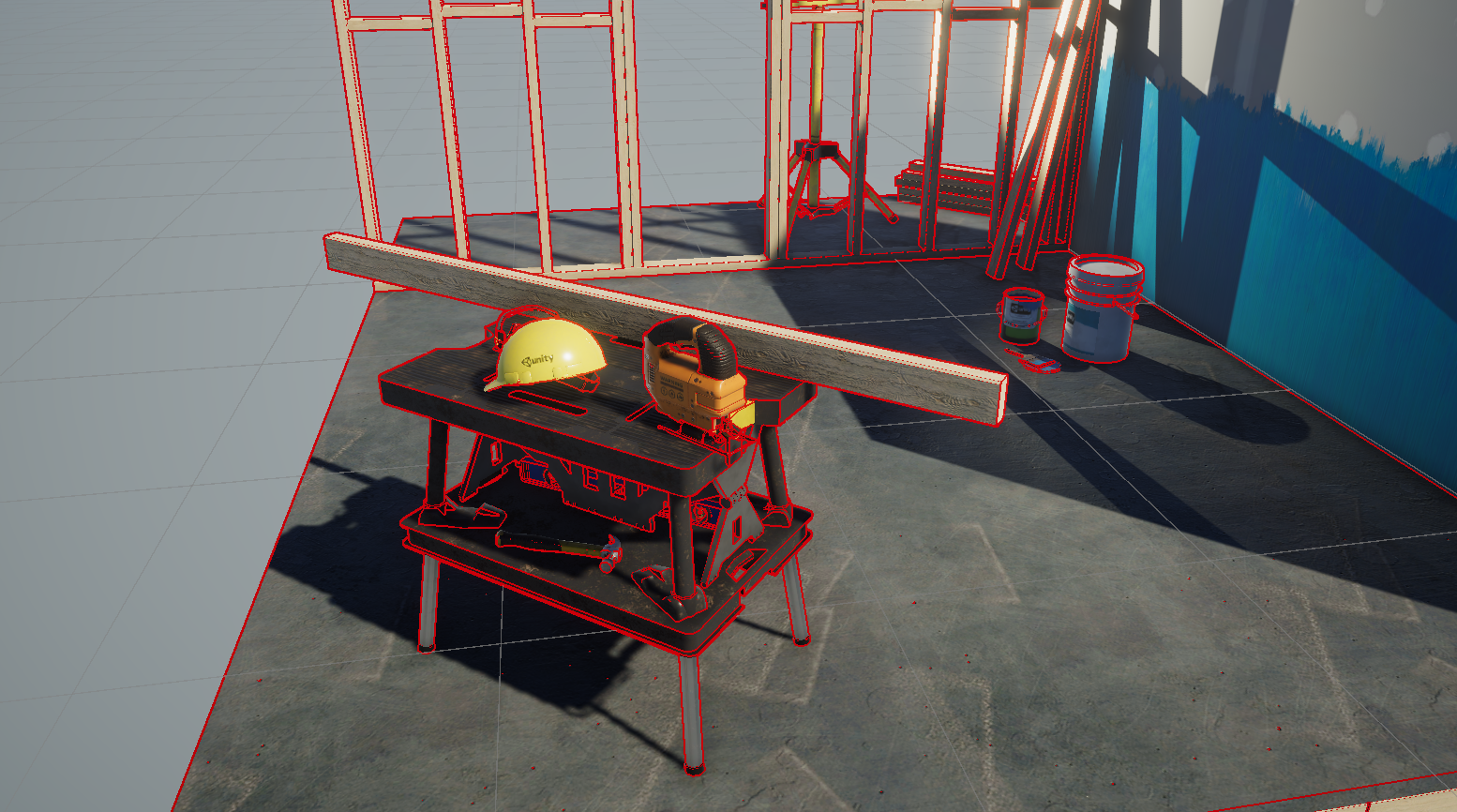
Pass完整代码
1
2
3
4
5
6
7
8
9
10
11
12
13
14
15
16
17
18
19
20
21
22
23
24
25
26
27
28
29
30
31
32
33
34
35
36
37
38
39
40
41
42
43
44
45
46
47
48
49
50
51
52
53
54
55
56
57
58
59
60
61
62
63
64
65
66
67
68
69
70
71
72
73
74
75
76
77
78
79
80
81
82
83
84
85
86
87
88
89
90
91
92
93
94
95
96
97
98
99
100
101
102
103
104
105
106
107
108
109
110
111
112
 Shader "Hidden/ScreenSpaceOutline"
{
    SubShader
    {
        Tags { "RenderType" = "Opaque" "RenderPipeline" = "UniversalPipeline" }
        Cull Off ZWrite Off ZTest Always

        Pass
        {
            HLSLPROGRAM
            #pragma vertex vert
            #pragma fragment frag
            #include "Packages/com.unity.render-pipelines.universal/ShaderLibrary/Core.hlsl"
            #include "Packages/com.unity.render-pipelines.universal/ShaderLibrary/DeclareDepthTexture.hlsl"
            #include "Packages/com.unity.render-pipelines.universal/ShaderLibrary/DeclareNormalsTexture.hlsl"

            struct Attributes
            {
                float4 positionOS : POSITION;
                float2 uv : TEXCOORD0;
            };

            struct Varyings
            {
                float4 positionHCS : SV_POSITION;
                float2 uv : TEXCOORD0;
            };

            TEXTURE2D(_MainTex);
            SAMPLER(sampler_MainTex);

            // 描边参数
            float _OutlineThickness;     // 采样偏移距离(像素单位)
            float _DepthThreshold;       // 深度边缘判定阈值
            float _DepthSensitivity;     // 深度灵敏度
            float _NormalThreshold;      // 法线边缘判定阈值
            float4 _OutlineColor;        // 描边颜色

            Varyings vert(Attributes input)
            {
                Varyings output = (Varyings)0;
                output.positionHCS = TransformObjectToHClip(input.positionOS);
                output.uv = input.uv;
                return output;
            }

            // 采样深度并线性化
            float SampleDepth(float2 uv)
            {
                float rawDepth = SampleSceneDepth(uv);
                return LinearEyeDepth(rawDepth, _ZBufferParams);
            }
            //采样场景法线
            float3 SampleNormal(float2 uv)
            {
                return SampleSceneNormals(uv);
            }

            half4 frag(Varyings input) : SV_Target
            {
                float2 texelSize = _OutlineThickness / _ScreenParams.xy;

                //默认深度
                float dBias = SampleDepth(input.uv);
                // 随着深度增加,允许的阈值应当变大,防止远景产生过多线段
                float depthThreshold = _DepthThreshold * dBias * _DepthSensitivity;

                // Sobel 算子采样 8 邻域深度
                float d0 = SampleDepth(input.uv + float2(-1, -1) * texelSize);
                float d1 = SampleDepth(input.uv + float2( 0, -1) * texelSize);
                float d2 = SampleDepth(input.uv + float2( 1, -1) * texelSize);
                float d3 = SampleDepth(input.uv + float2(-1,  0) * texelSize);
                float d4 = SampleDepth(input.uv + float2( 1,  0) * texelSize);
                float d5 = SampleDepth(input.uv + float2(-1,  1) * texelSize);
                float d6 = SampleDepth(input.uv + float2( 0,  1) * texelSize);
                float d7 = SampleDepth(input.uv + float2( 1,  1) * texelSize);

                // Sobel X 和 Y 方向梯度
                float sobelX = -d0 - 2*d3 - d5 + d2 + 2*d4 + d7;
                float sobelY = -d0 - 2*d1 - d2 + d5 + 2*d6 + d7;
                float depthEdge = sqrt(sobelX * sobelX + sobelY * sobelY);


                // 法线Sobel采样8邻域
                float3 n0 = SampleNormal(input.uv + float2(-1,-1) * texelSize);
                float3 n1 = SampleNormal(input.uv + float2( 0,-1) * texelSize);
                float3 n2 = SampleNormal(input.uv + float2( 1,-1) * texelSize);
                float3 n3 = SampleNormal(input.uv + float2(-1, 0) * texelSize);
                float3 n4 = SampleNormal(input.uv + float2( 1, 0) * texelSize);
                float3 n5 = SampleNormal(input.uv + float2(-1, 1) * texelSize);
                float3 n6 = SampleNormal(input.uv + float2( 0, 1) * texelSize);
                float3 n7 = SampleNormal(input.uv + float2( 1, 1) * texelSize);

                float3 normalSobelX = -n0 - 2*n3 - n5 + n2 + 2*n4 + n7;
                float3 normalSobelY = -n0 - 2*n1 - n2 + n5 + 2*n6 + n7;
                float normalEdge = length(normalSobelX) + length(normalSobelY);

                // 深度和法线边缘合并
                float edge = max(step(depthThreshold, depthEdge), step(_NormalThreshold, normalEdge));

                //float edge = step(_DepthThreshold, depthEdge);
                // 采样原始画面颜色
                half4 sceneColor = SAMPLE_TEXTURE2D(_MainTex, sampler_MainTex, input.uv);

                // 超过阈值的地方叠加描边颜色
                float outline = edge;
                return lerp(sceneColor, _OutlineColor, outline);
            }
            ENDHLSL
        }
    }
}
使用方法
找到URP设置指定上去就行 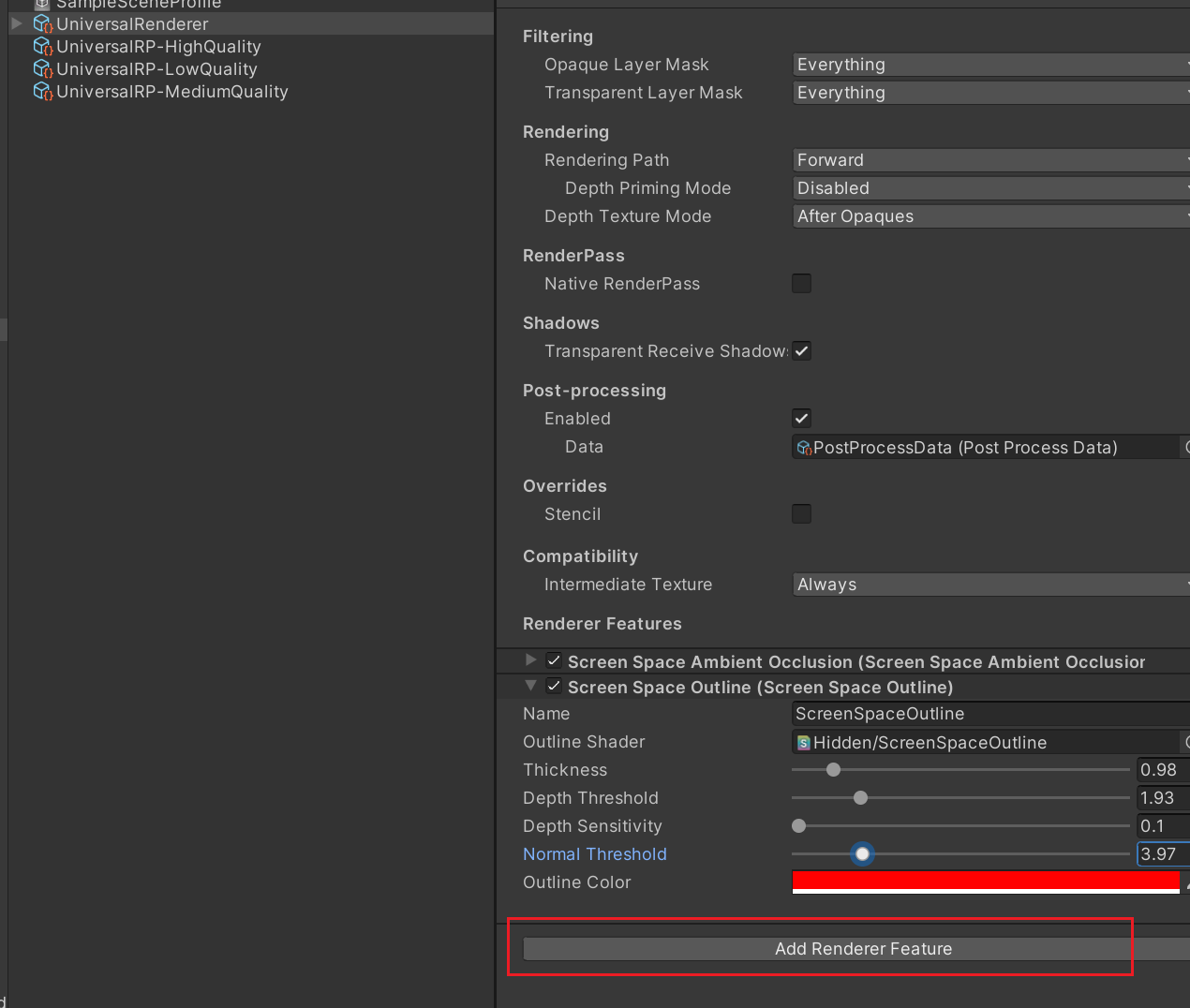
Enjoy Reading This Article?
Here are some more articles you might like to read next: