参考资源
https://de45xmedrsdbp.cloudfront.net/Resources/files/TemporalAA_small-59732822.pdf
https://developer.download.nvidia.com/gameworks/events/GDC2016/msalvi_temporal_supersampling.pdf
https://www.gdcvault.com/play/1022970/Temporal-Reprojection-Anti-Aliasing-in
采样算法
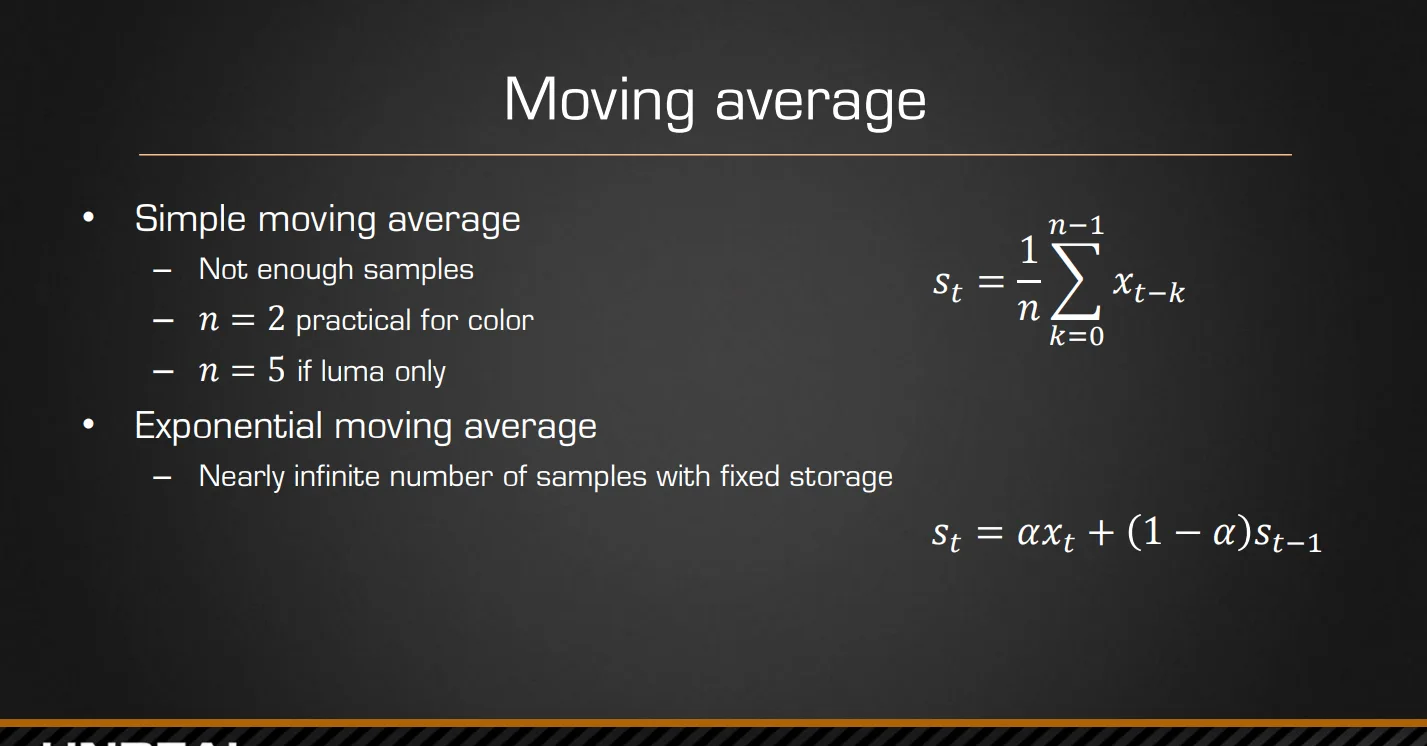
对于一般的采样偏移处理有两种,一种是采样平均使用不同的位移多次采样一张RT(一帧),这样的话处理多帧的话就需要每帧做多次处理。另一种指数平均则只需要一张历史帧,就是可以得到所有帧的累计,其实就是lerp,当前帧和历史帧进行lerp处理,α则是权重,因为不断累积,越旧的帧随指数衰减,所以叫指数平均
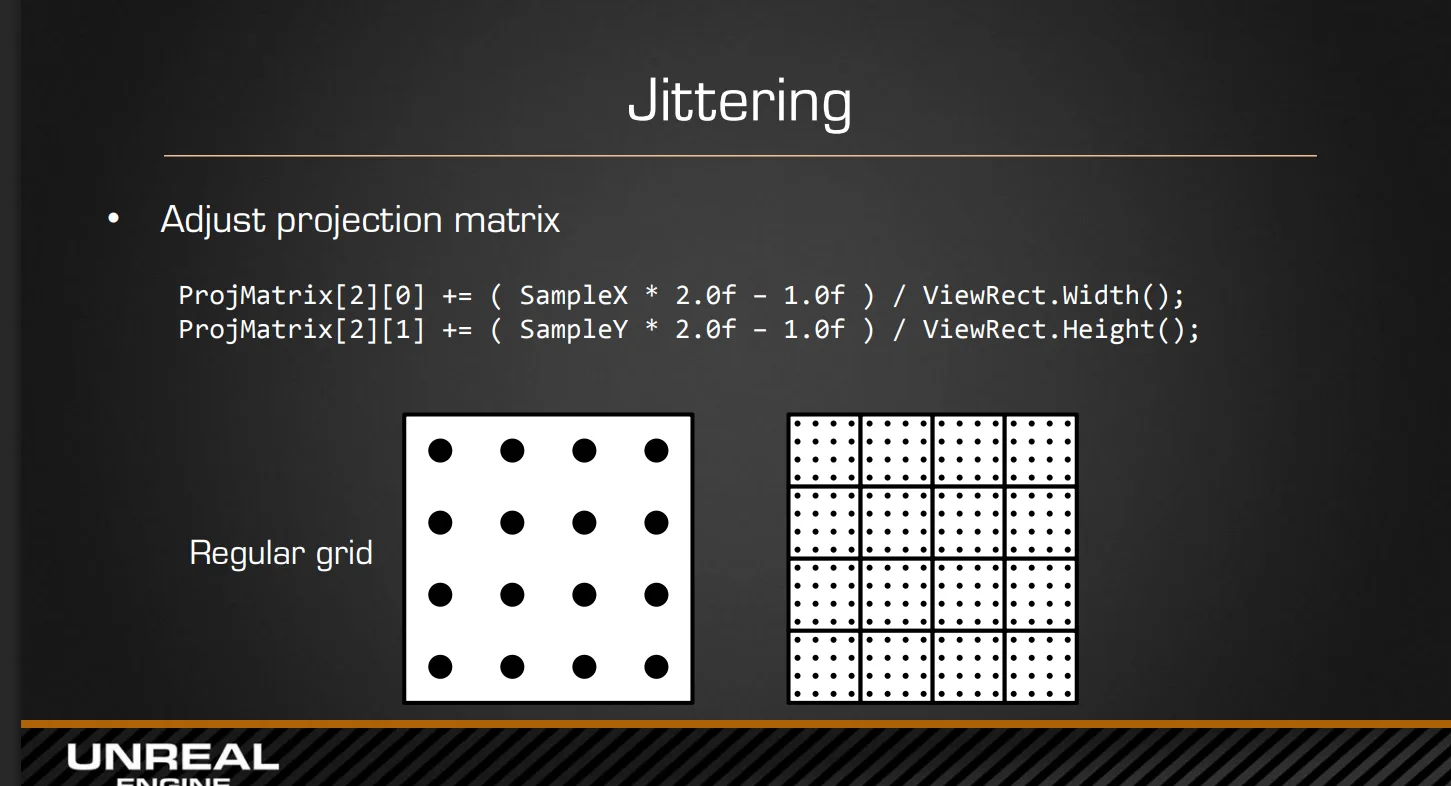
抖动采样
因为成像都在相机,所以偏移可以直接对投影矩阵处理就行,针对这里的采样偏移计算则使用Halton序列 另外说明的是这里矩阵是在ndc空间下计算,如果对应重映射到-1~1的范围,这里的偏移量大概是一个像素
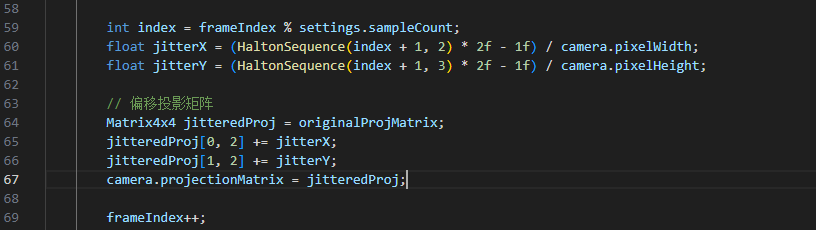
对应unity代码如下,使用sampleCount来控制采样混合的历史帧数量,经我测试这里的jitter还是偏大,可能会导致严重较为抖动问题
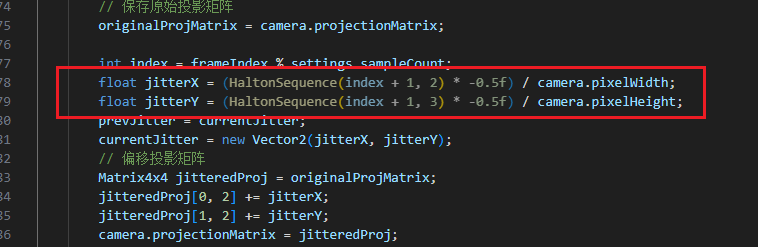
所以还是将其缩小一半,还是在亚像素范围抖动,这样可以解决抖动过强,同时将jitter值传入Shader
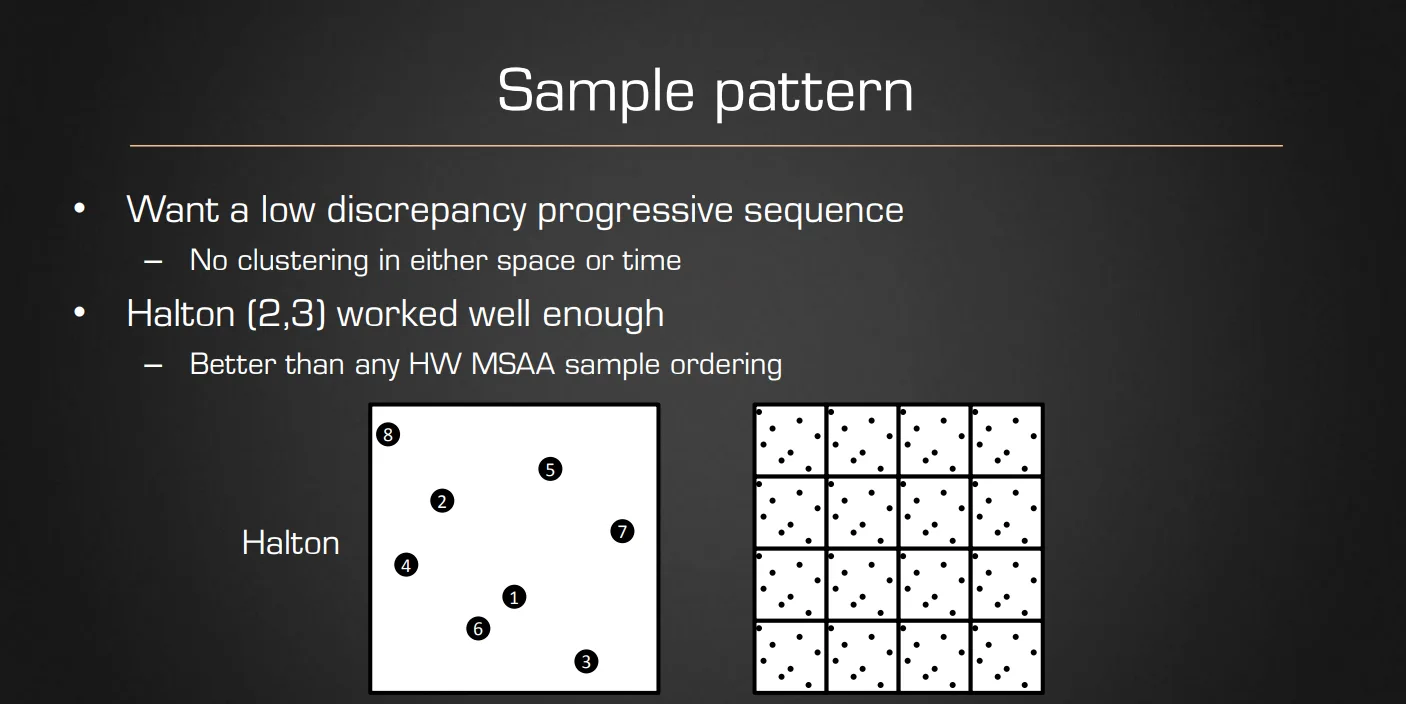
Halton(哈尔顿)序列
这个序列是一种低差异序列,理解成一种撒点尽量均匀的散布算法就行
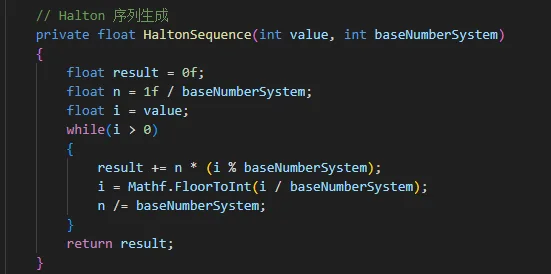
具体算法是使用镜像翻转后的不同进制转换 比如输入是十进制整数 —> 转成对应进制 —> 镜像翻转放到小数点后面(对应进制的小数)—> 转回十进制小数输出 代码如下
总体实现流程
基础混合和重投影
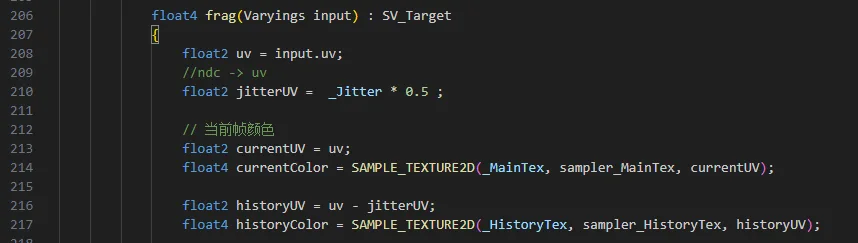
处理完上面的jitter后,Shader最基础的操作就是混合前后两帧图像,因为jitter进行了位移,默认UV对应的当前帧,但是历史帧也做了jitter,则需要对齐上一帧的UV,对齐这个操作就是重投影,因为静态物体不会运动,只需要Unjitter,而动态物体则需要使用MotionVector去处理了,代码非常简单,将jitter传给Shader然后重新计算一下UV
混合输出

因为最终混合是lerp,如果随着历史帧的混合权重增加,就会出现鬼影
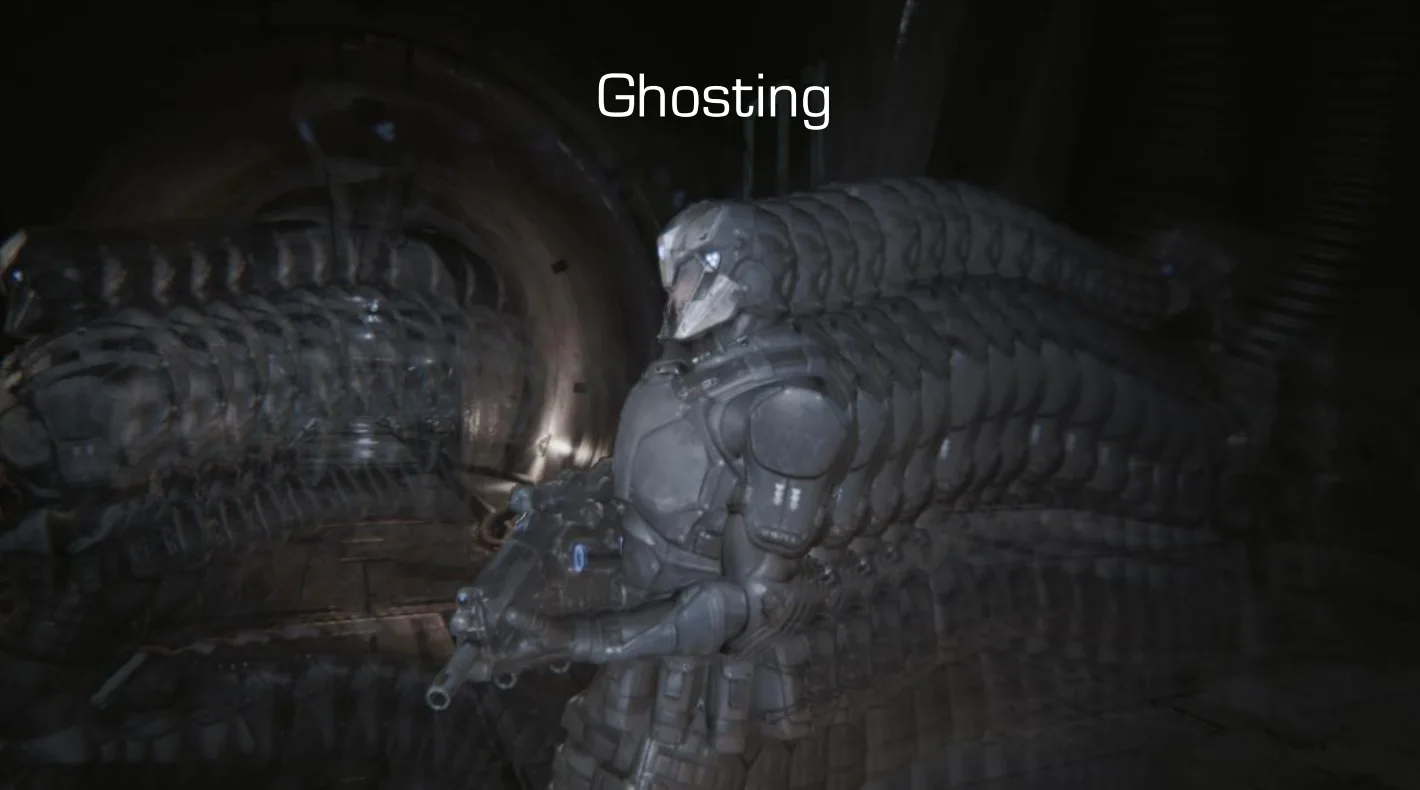
具体影响的效果是这样
处理静态物体
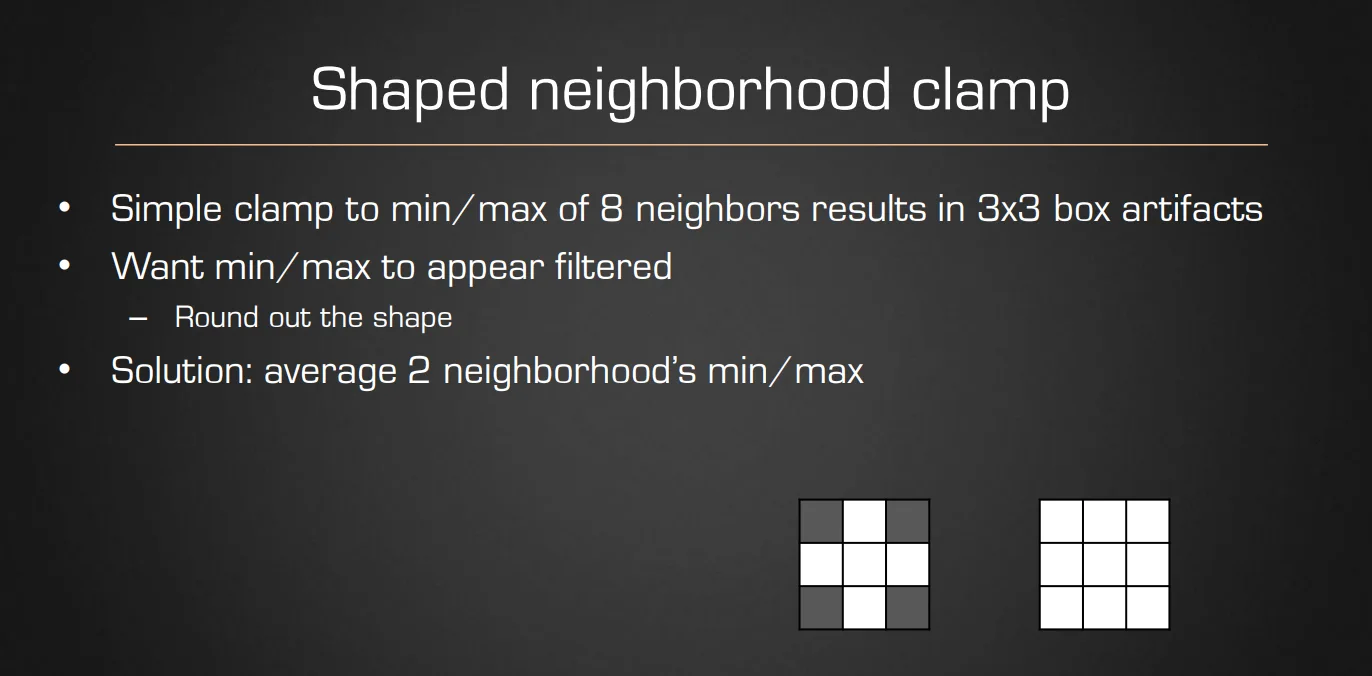
Neighborhood Clamp
具体处理就是从当前帧的3x3邻域找到max和min来进行钳制历史帧混合,防止越界
YCoCg Box
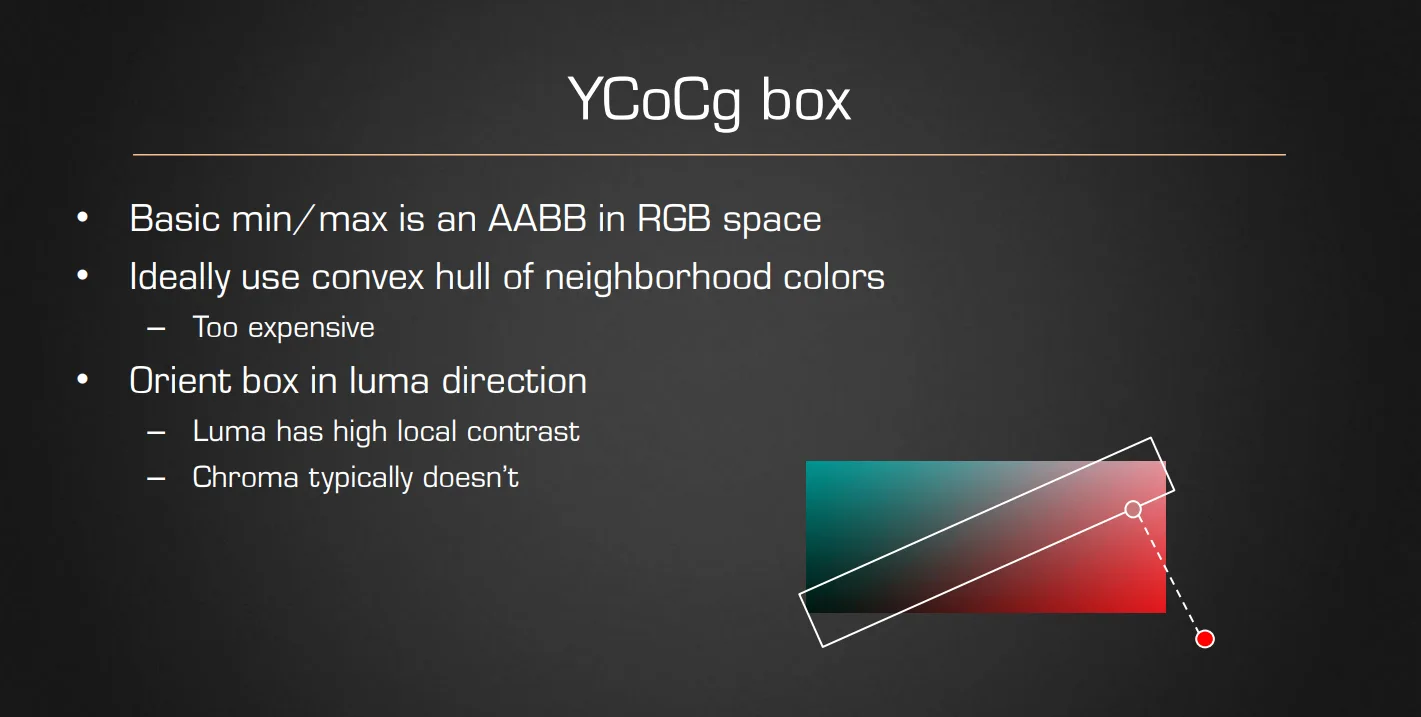
虽然可以直接拿RGB计算Neighborhood Clamp,但是RGB是不区分亮度和色度的,包围盒太粗糙,针对亮度需要转换到YCoCg色彩空间,把亮度单独拿出来,让包围盒的形状更符合人眼感知,Clamp 更精确,既不会放过鬼影,也不会过度裁剪导致闪烁
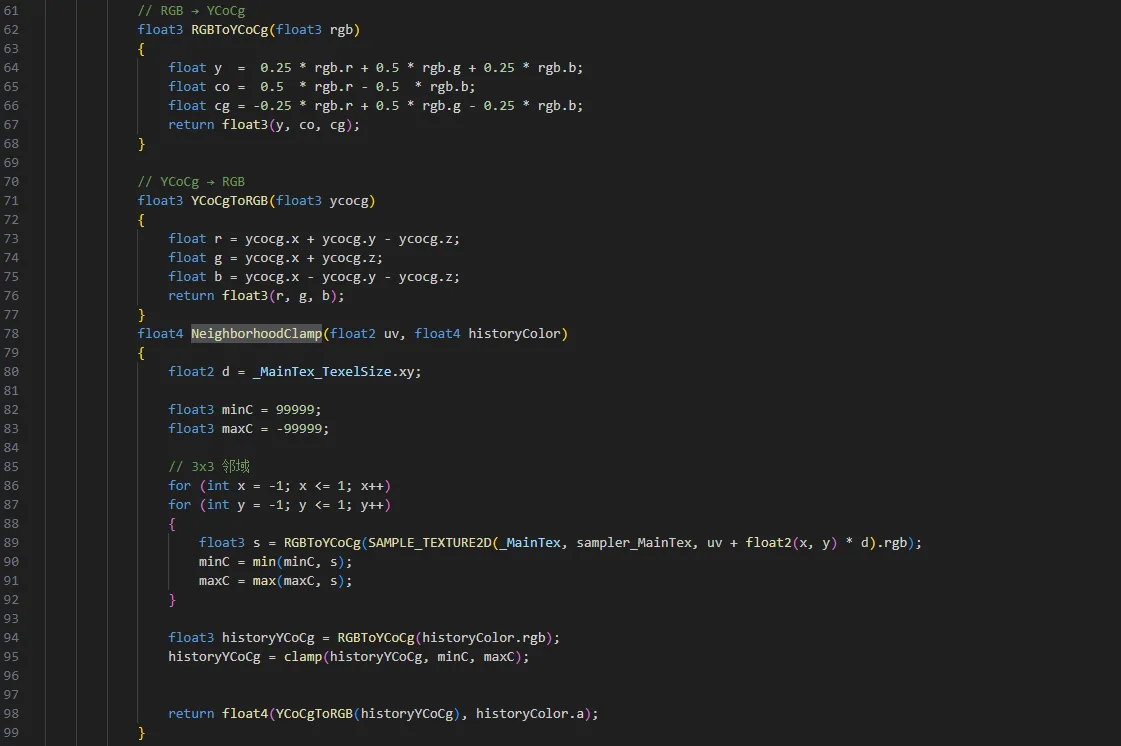
RGB 转换为 YCoCg 的标准公式如下:
-
Y (Luminance): 亮度分量,代表图像的明暗。
-
Co (Chrominance orange): 偏橙色度分量。
-
Cg (Chrominance green): 偏绿色度分量。 参考代码:
提前色彩处理(Tone map)
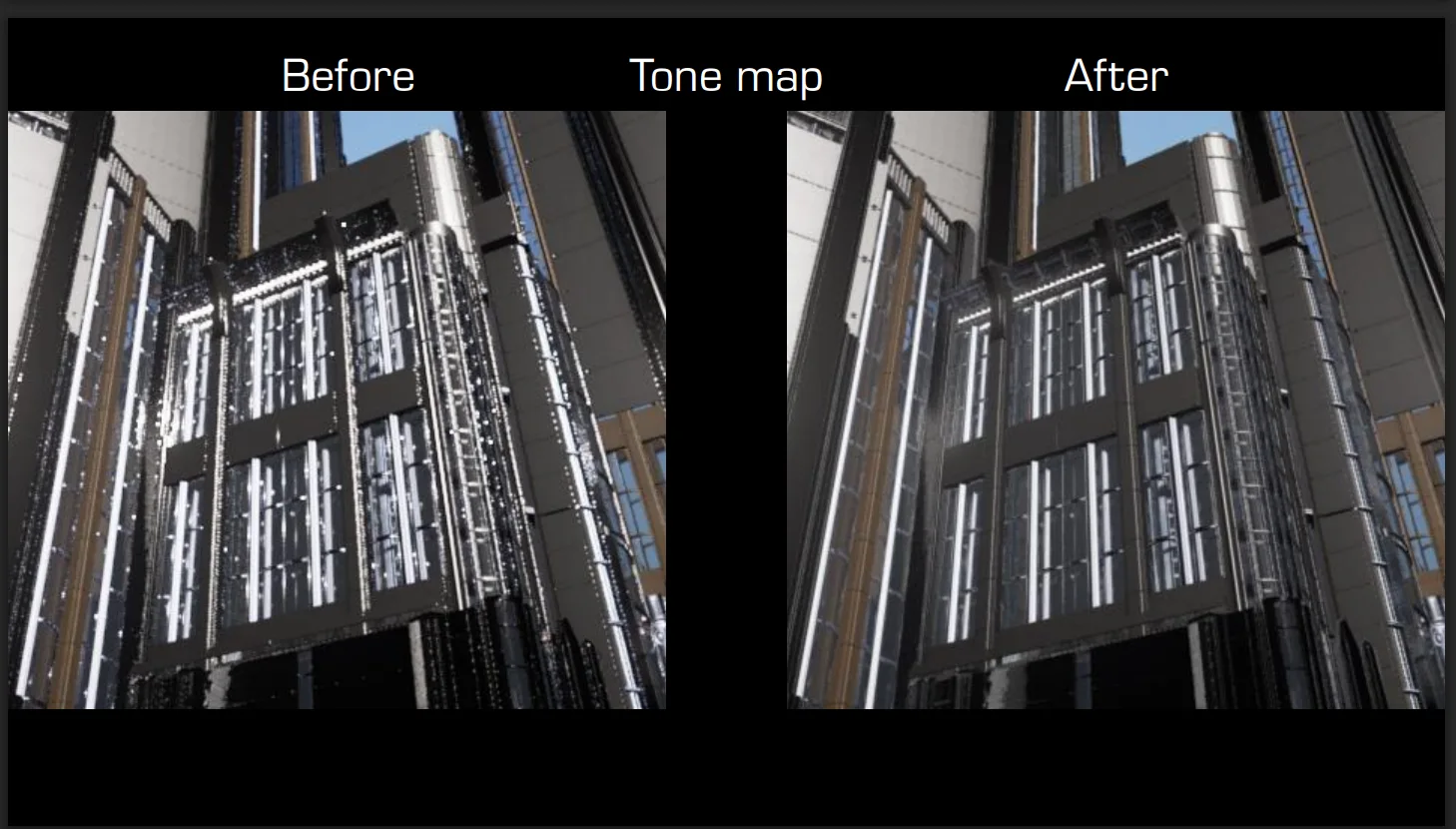
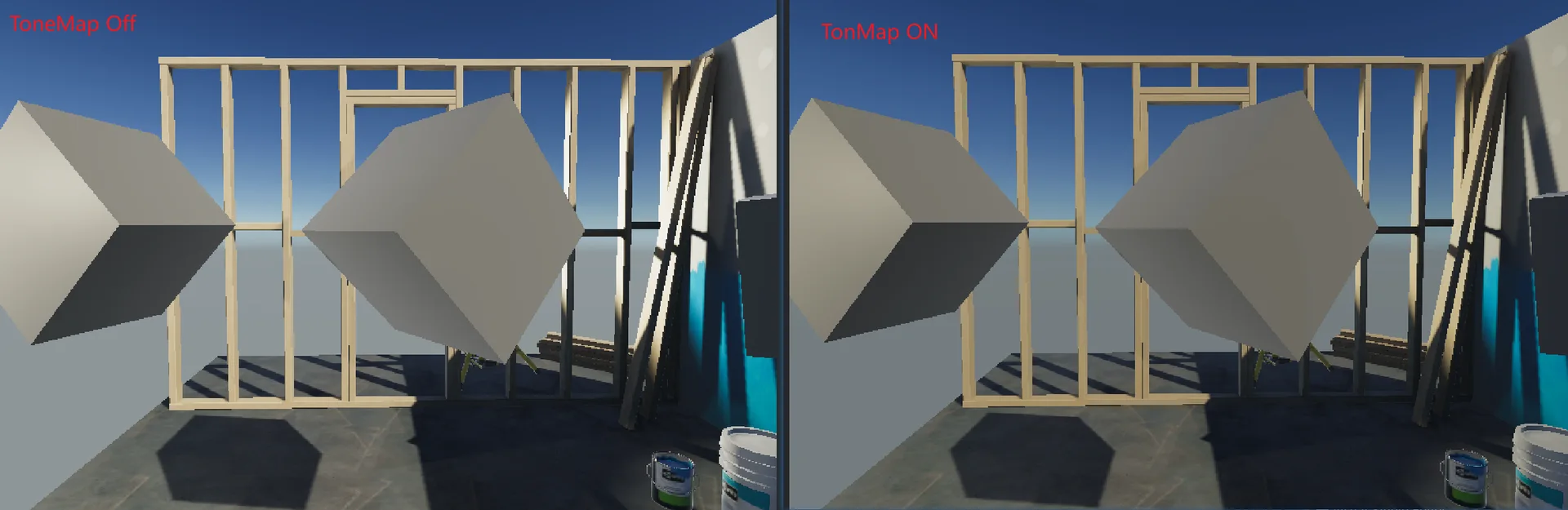
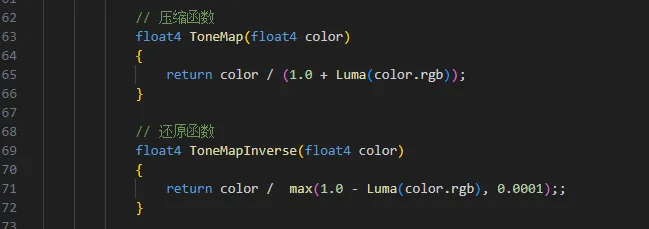
对于高光特别丰富,亮度极高的情况,可以先对颜色进行Tone map然后在进行TAA混合
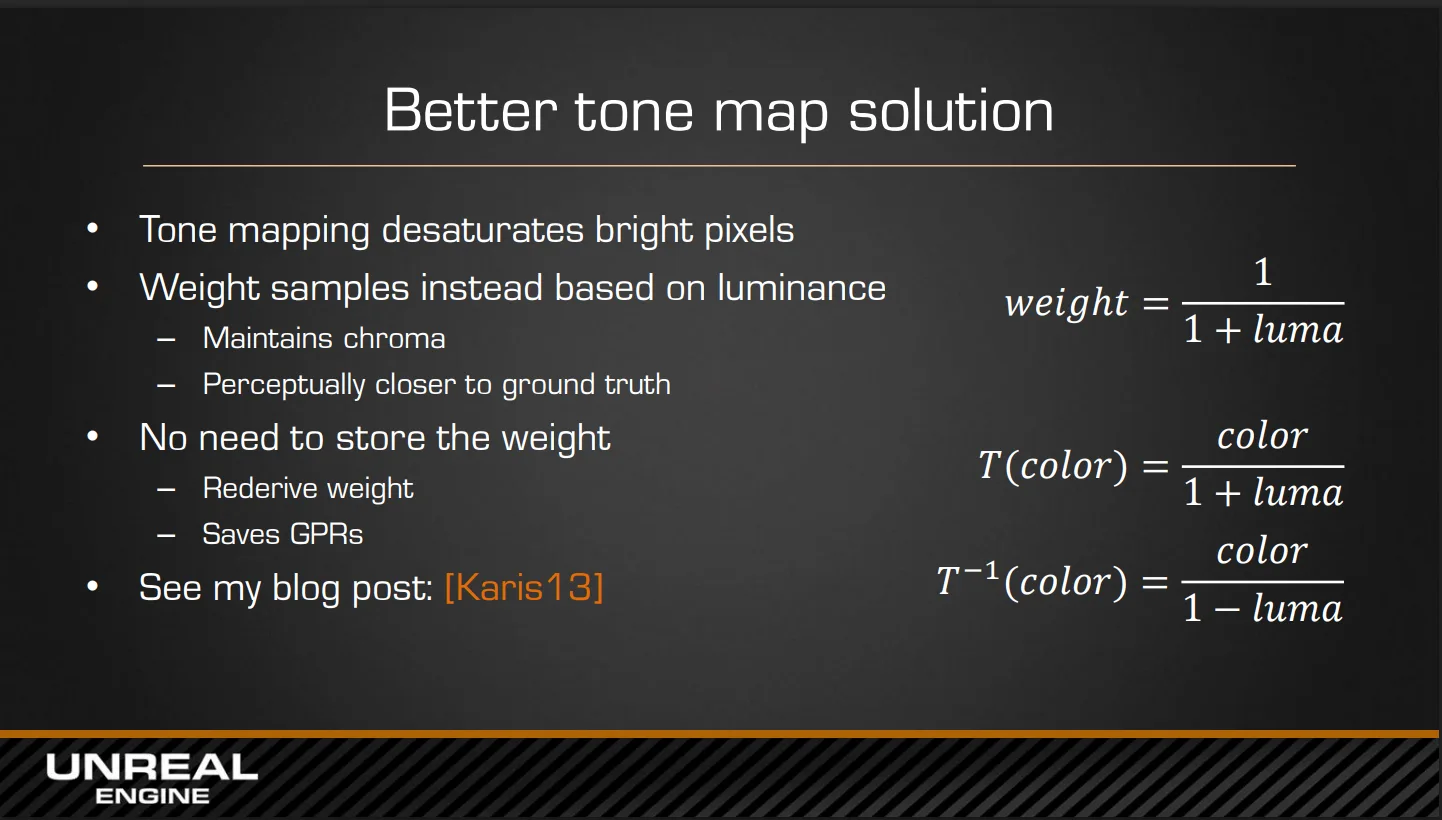
文档给出的参考对比
我测试场景对比
参考代码:
输出

额外的钳制优化A
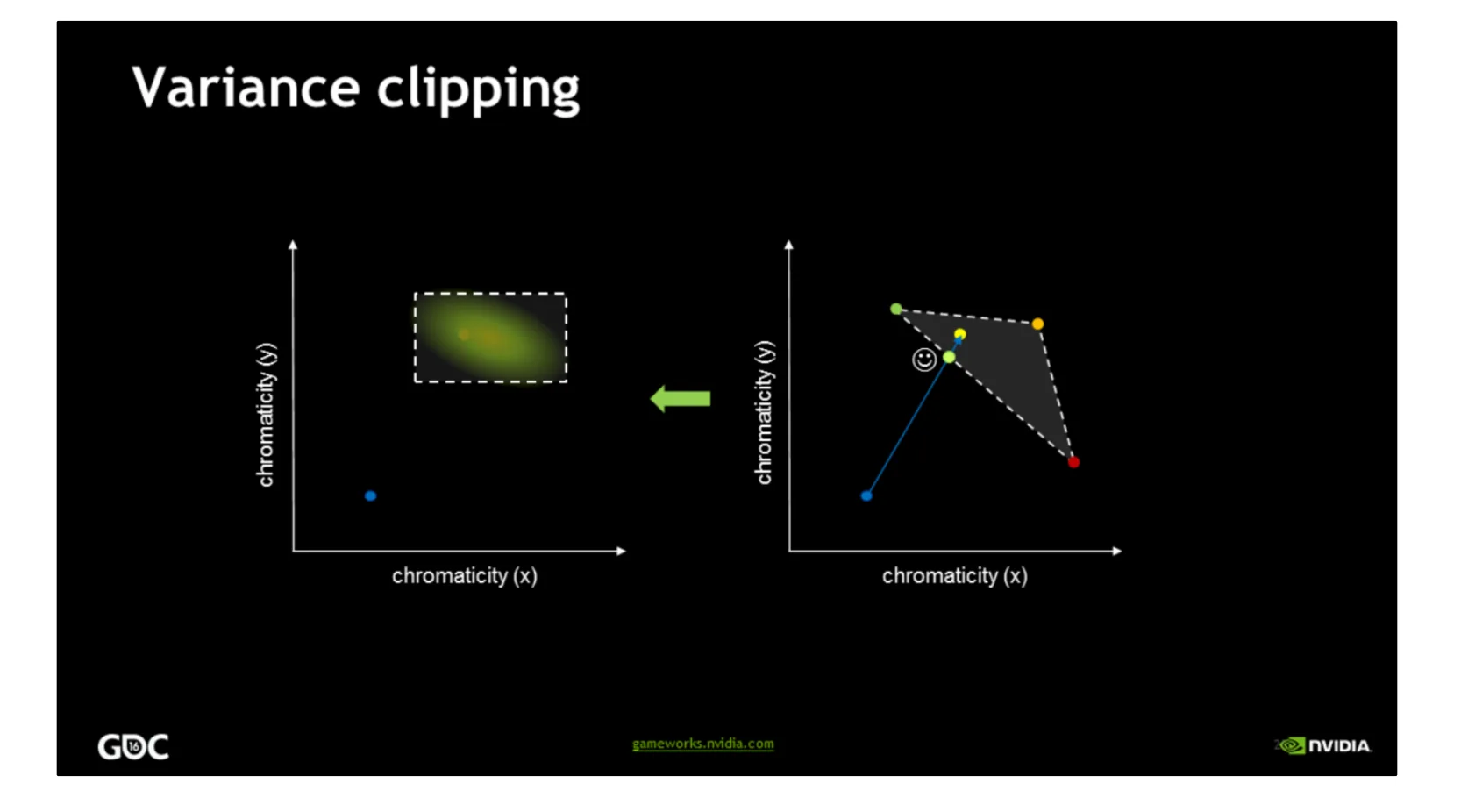
使用YCoCg Box 进行 Neighborhood Clamp 的问题是这个范围可能很宽,一个异常亮的邻域像素会把 maxC 拉得很大,很多本该被裁掉的历史帧颜色都能通过,不是很准确。英伟达的文档中提到使用Variance Clipping(方差裁剪)进行包围盒的钳制
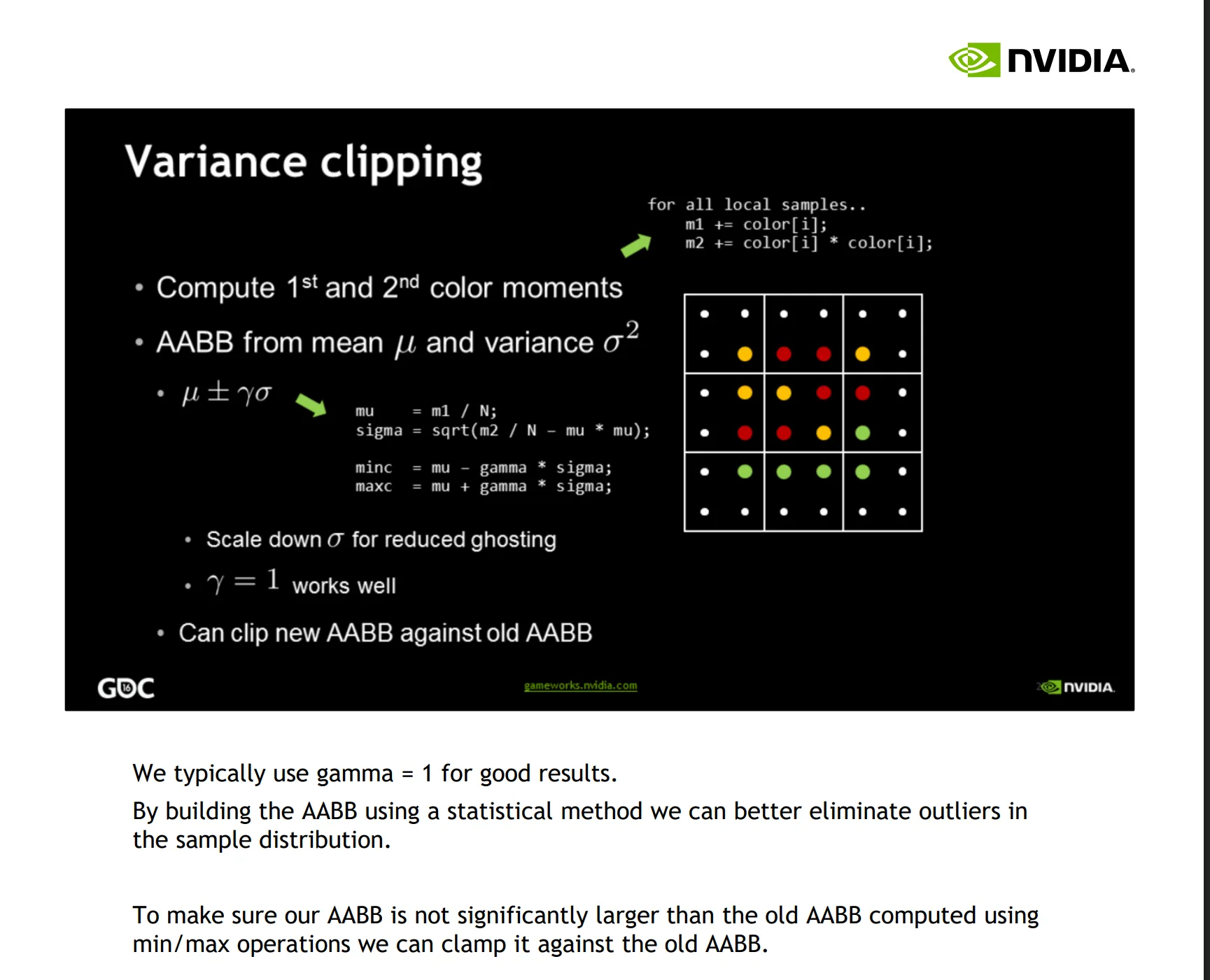
平均标准差是变化程度,因为是平均变化程度,虽然不能完全准确控制范围,但是可以自适应变化的快慢防止有的像素差异很大,这里乘上一个gamma控制具体变化程度,和平均值相加得到一个大最小范围 参考代码:
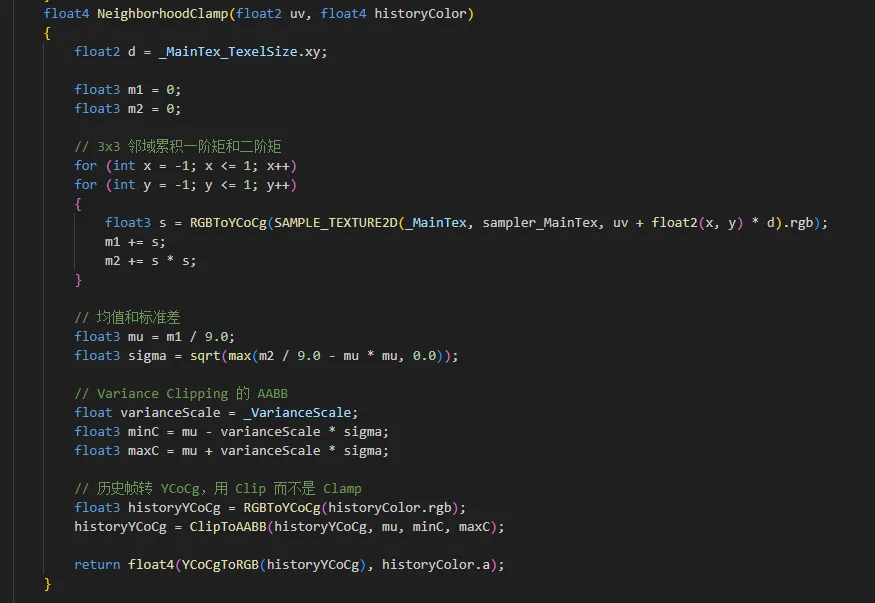
此外还需要对颜色压制,保留了被原本包围盒外的颜色,不过进行了压制到包围盒边缘
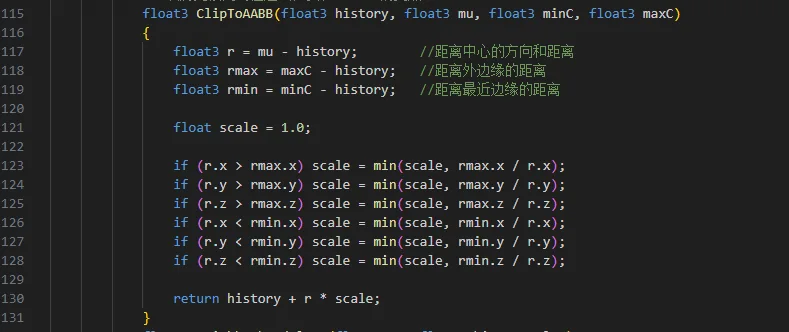
设计逻辑就是,将颜色压制到边缘,所以计算history + r * scale = maxC 或者 history + r * scale = minC,求scale是多少就行 参考代码:
额外的钳制优化B
在Temporal Reprojection Anti-Aliasing in INSIDE文档中使用了另外的采样邻域方法,RoundBox3x3
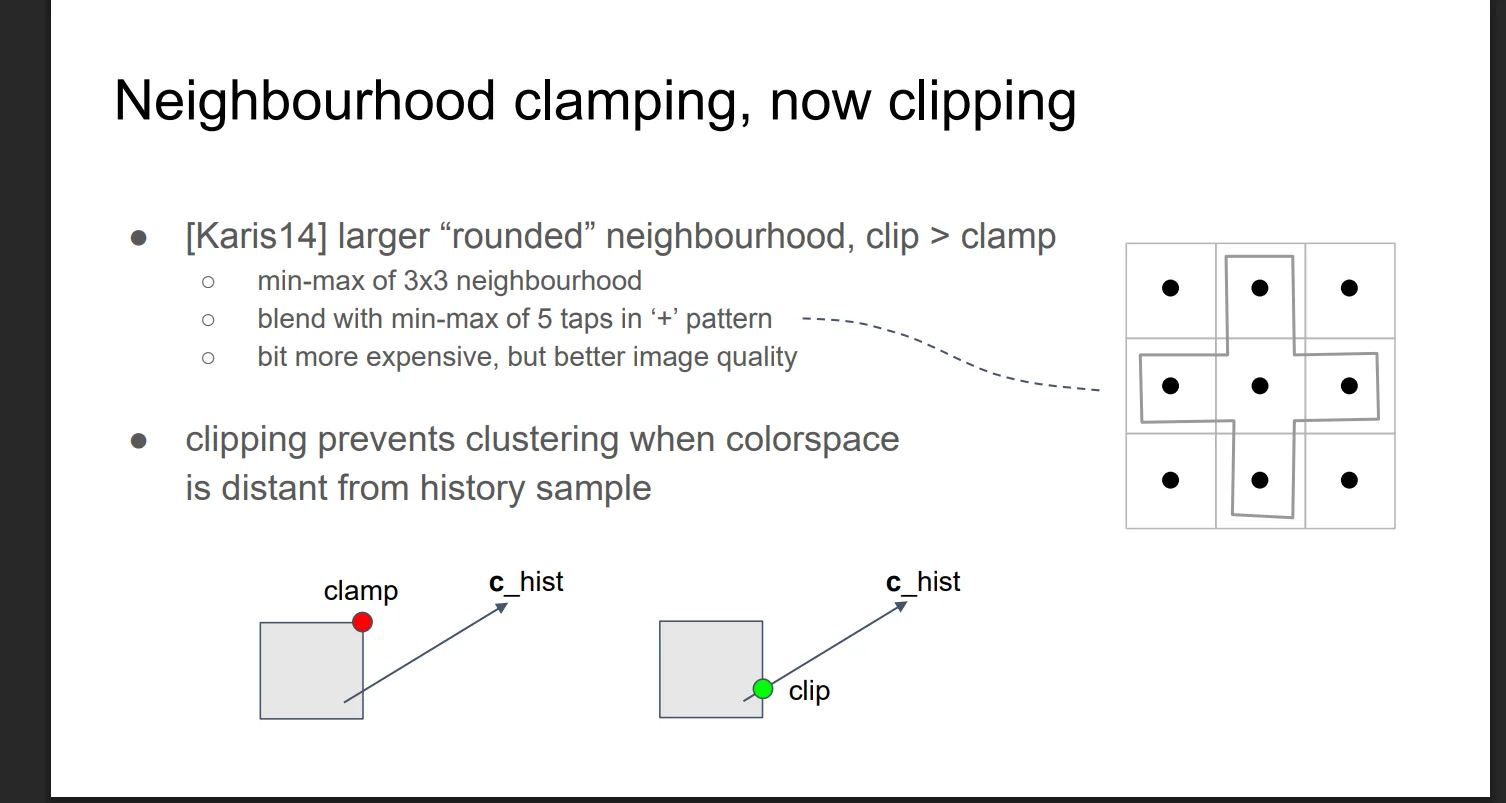
实现参考代码
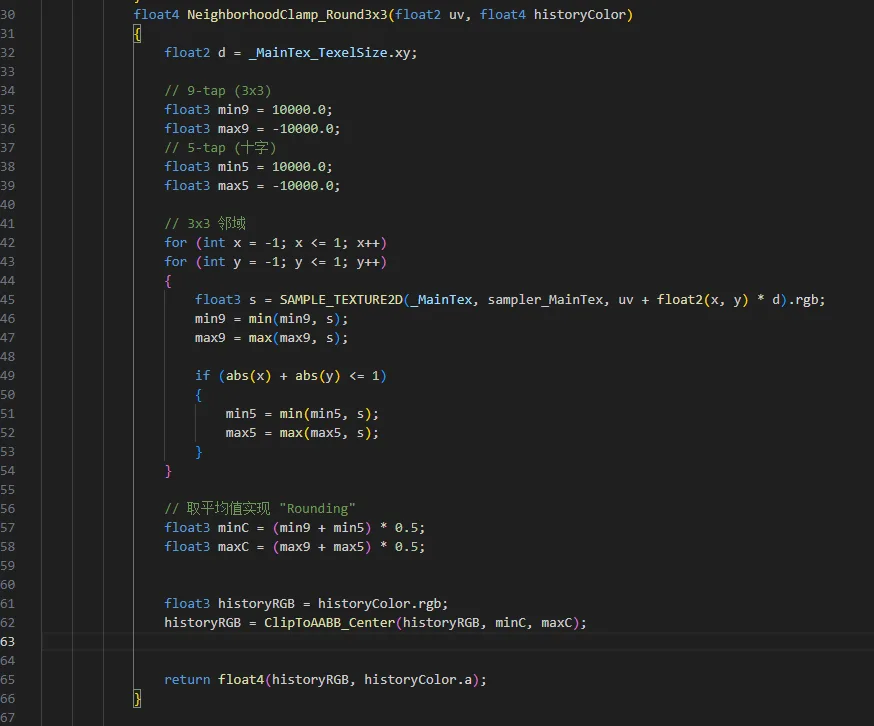
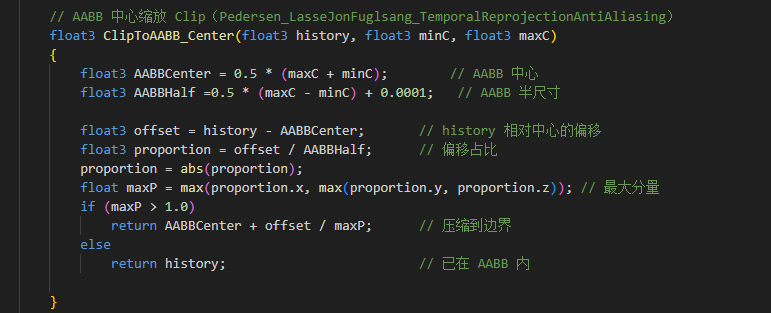
同时也使用了另外的clip方法,相对中心进行clip
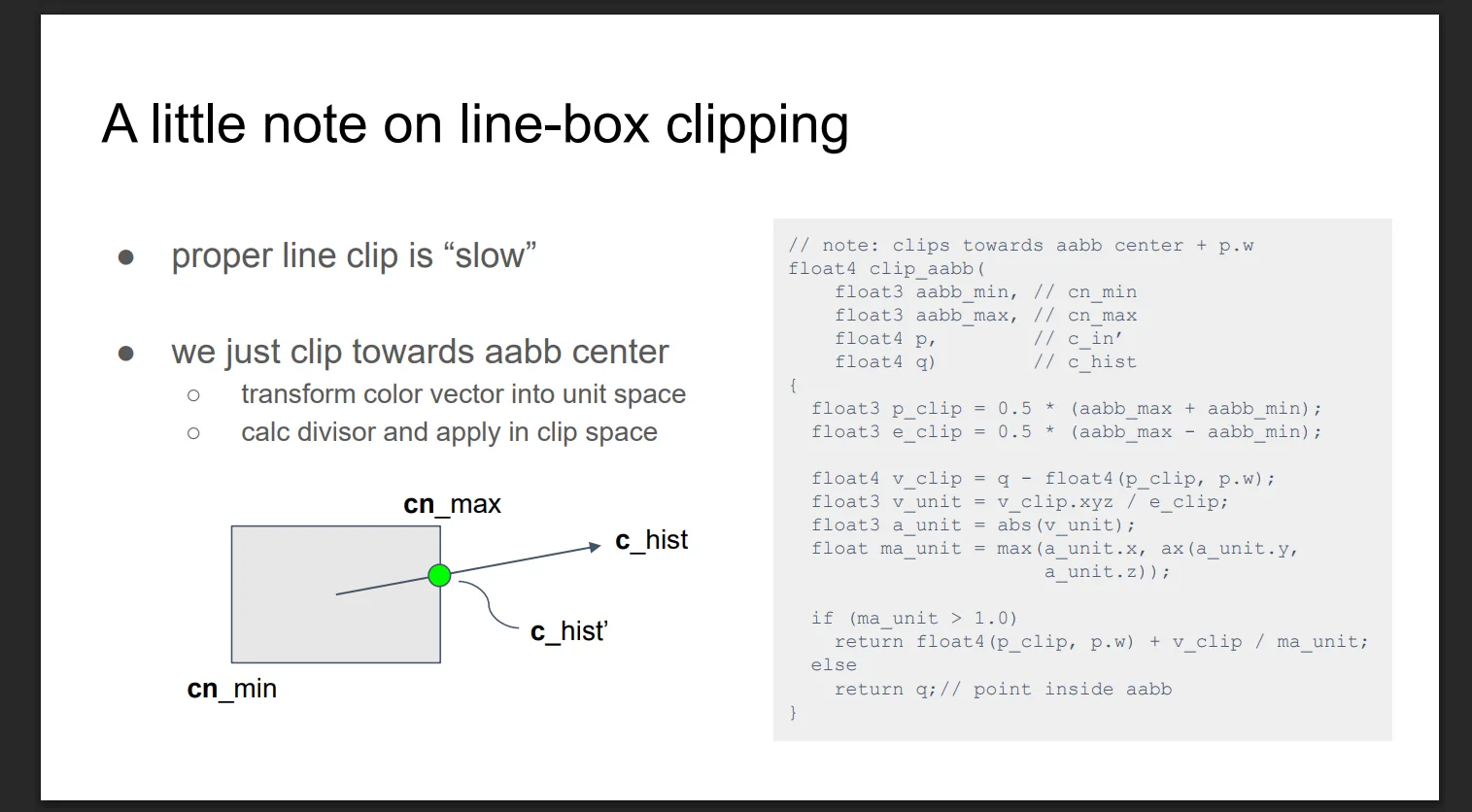
参考代码:
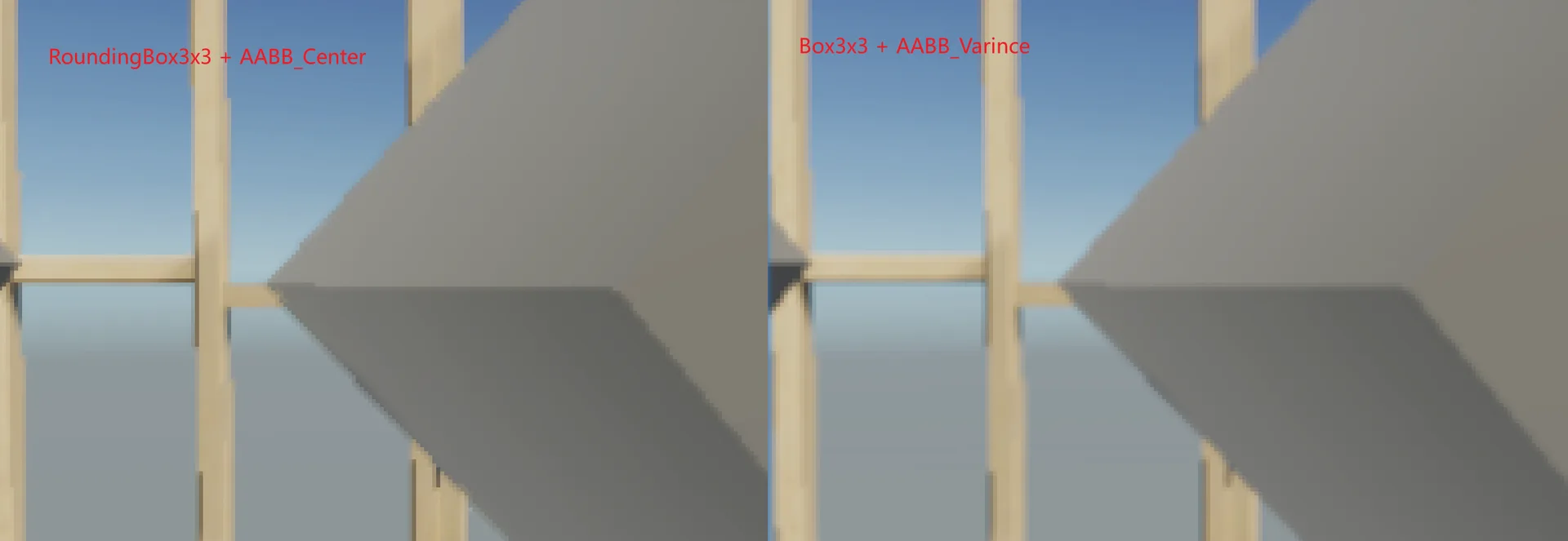
两种邻域钳制效果对比
同等参数下效果如下。效果差异还是比较明显的,中心压缩可以更好的抗模糊,方差的话则是抗锯齿更加平滑,个人感觉还是方差更好,更加平滑,反正TAA后面还需要加个锐化来抗模糊
重影效果因为邻域钳制也会减少
处理动态物体(Motion Vector)
为了解决动态物体鬼影的问题,需要计算对应运动方向,来控制这个混合程度,运动越快,当前帧权重更大,历史帧权重更小
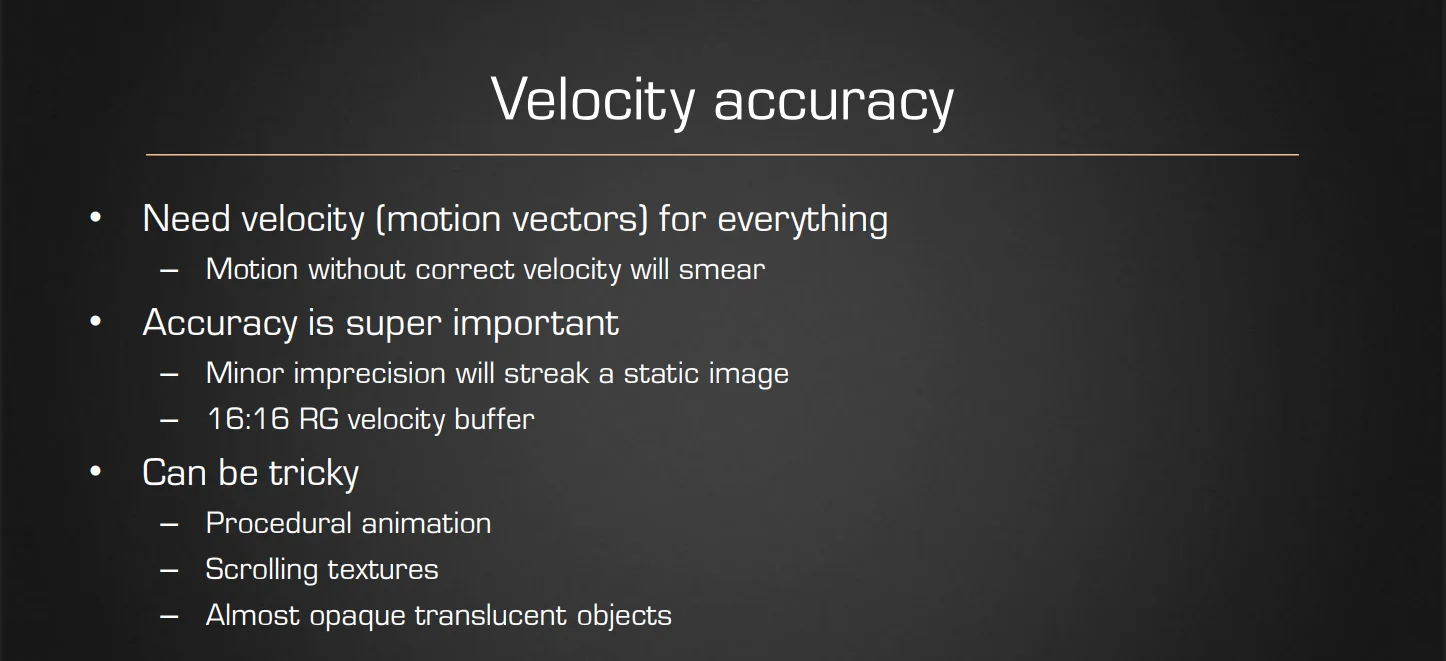
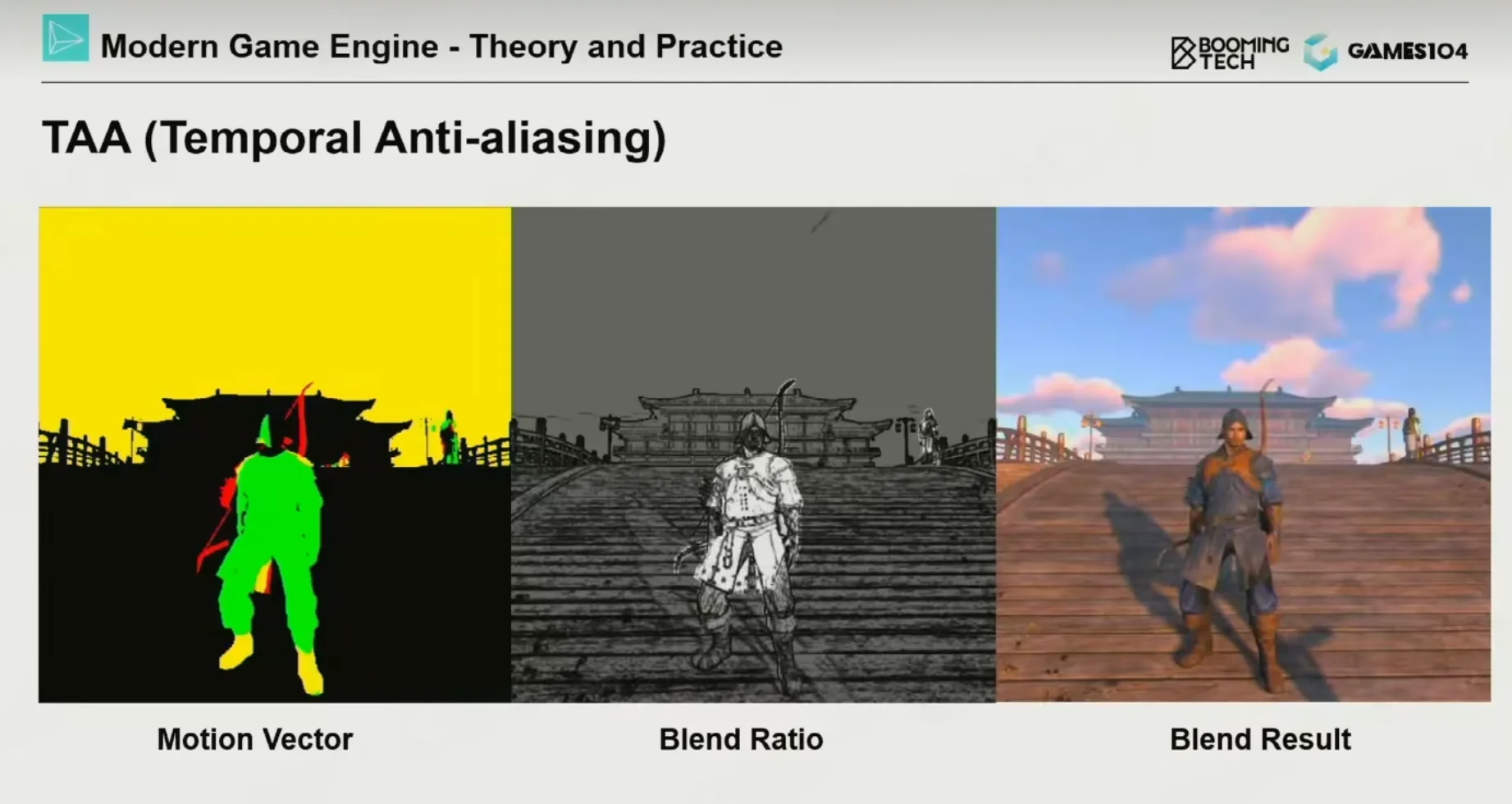
关于Motion Vector我直接偷懒使用的unity内置的,自己写太麻烦了,而且内置的肯定比我写的准确,它能处理蒙皮动画、粒子等复杂情况,手动矩阵重投影只能处理相机运动,覆盖不了运动物体。
开启Motion Vector
AddRenderPasses中设置

OnCameraSetup设置

shader添加参数
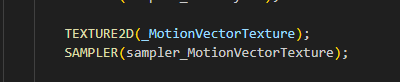
替换手动jitter
因为Motion Vector包含了jitter的运动,所以直接替换掉
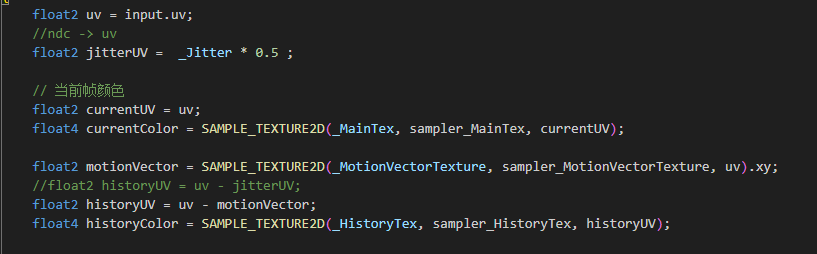
最终效果
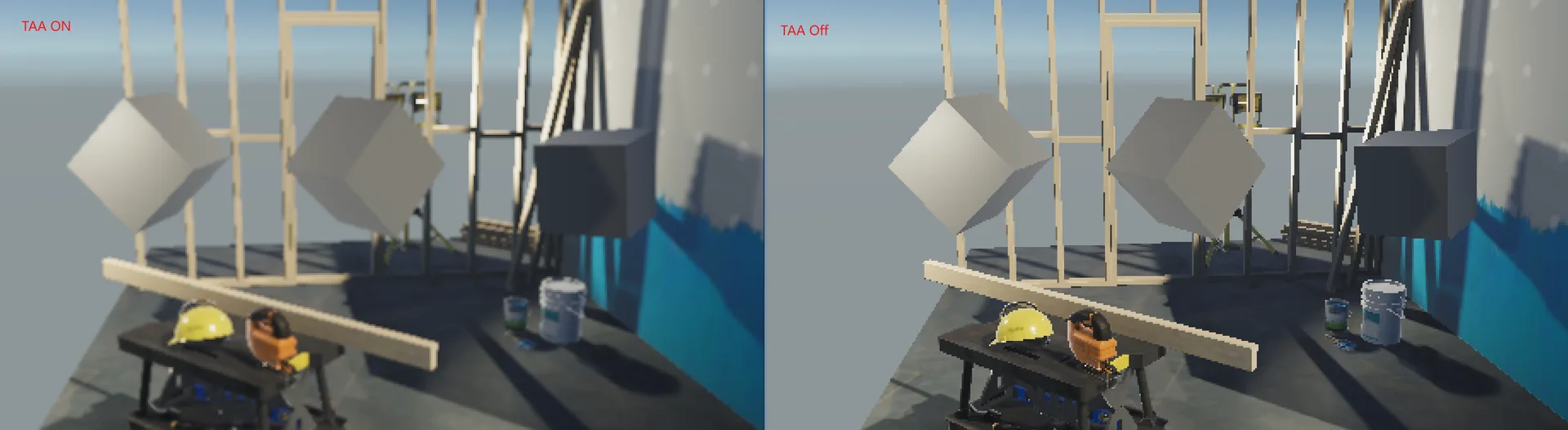
方差模式效果如下,我把分辨率调的很低720x480,因为算法问题,画面轻微模糊是必然的,不过在高分辨率下模糊就不是很明显了,后续需要可以加锐化进行调整
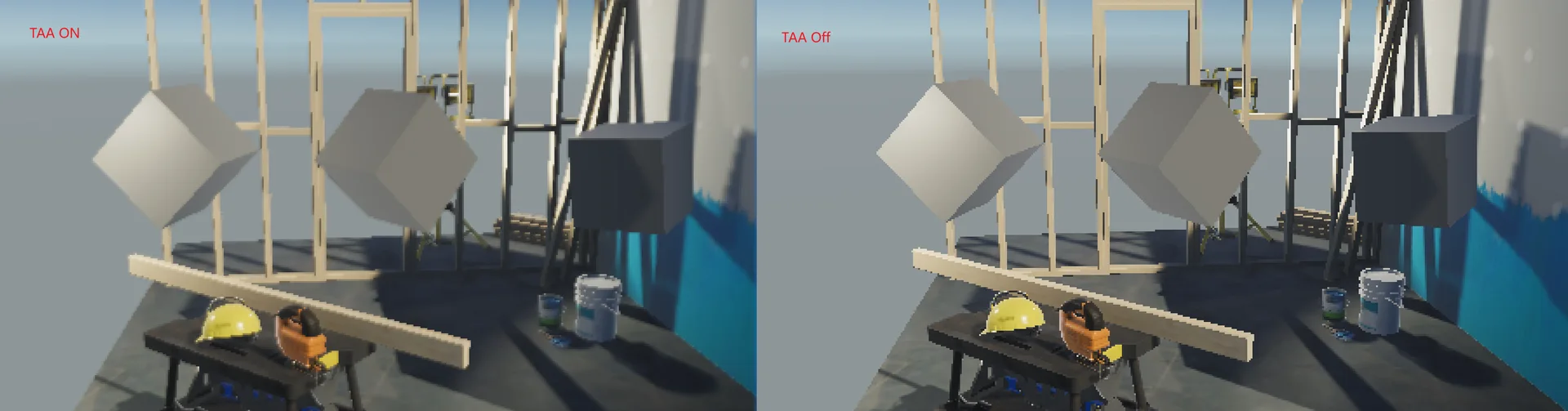
如果是中心压缩模式,那么模糊感没那么强
完整代码
C#代码
using UnityEngine;
using UnityEngine.Rendering;
using UnityEngine.Rendering.Universal;

public class CustomTAA : ScriptableRendererFeature
{
    [System.Serializable]
    public class TAASettings
    {
        public Shader taaShader;

        [Tooltip("历史帧混合程度")]
        [Range(0f, 1f)]public float  BlendFactor = 0.5f;
        [Tooltip("历史帧混合数量")]
        [Range(8, 24)] public int sampleCount = 8; // Halton 序列长度

        public enum AABBClipMode
        {
            Variance,
            Center
        };

        [Tooltip("历史帧颜色AABB包围盒钳制模式: 方差、中心")]
        public AABBClipMode aabbClipMode =  AABBClipMode.Variance;
        [Tooltip("历史帧颜色AABB包围盒大小缩放: 仅方差模式生效")]
        [Range(0, 10)] public float VarianceScale = 1;

    }
    public TAASettings settings = new TAASettings();
    CustomTAAPass pass;
    private Material material;

    private int frameIndex = 0;
    private Camera camera;
    private Matrix4x4 originalProjMatrix;

    private Vector2 currentJitter;


    public override void Create()
    {
        if (settings.taaShader == null) return;
        if (material == null)
        {
            material = CoreUtils.CreateEngineMaterial(settings.taaShader);
        }

        pass = new CustomTAAPass(settings, material);

        pass.renderPassEvent = RenderPassEvent.BeforeRenderingPostProcessing;
    }

    // Halton 序列生成
    private float HaltonSequence(int value, int baseNumberSystem)
    {
        float result = 0f;
        float n = 1f / baseNumberSystem;
        float i = value;
        while(i > 0)
        {
            result += n * (i % baseNumberSystem);
            i = Mathf.FloorToInt(i / baseNumberSystem);
            n /= baseNumberSystem;
        }
        return result;
    }
    public override void AddRenderPasses(ScriptableRenderer renderer, ref RenderingData renderingData)
    {
        if (material == null || settings.taaShader == null) return;
        if (renderingData.cameraData.cameraType != CameraType.Game) return; // ← 加这行
        camera = renderingData.cameraData.camera;

        camera.ResetProjectionMatrix();
        // 保存原始投影矩阵
        originalProjMatrix = camera.projectionMatrix;

        int index = frameIndex % settings.sampleCount;
        float jitterX = (HaltonSequence(index + 1, 2) * -0.5f) / camera.pixelWidth;
        float jitterY = (HaltonSequence(index + 1, 3) * -0.5f) / camera.pixelHeight;
        currentJitter = new Vector2(jitterX, jitterY);
        // 偏移投影矩阵
        Matrix4x4 jitteredProj = originalProjMatrix;
        jitteredProj[0, 2] += jitterX;
        jitteredProj[1, 2] += jitterY;
        camera.projectionMatrix = jitteredProj;
        //Debug.Log($"jitterX: {jitterX}, jitterY: {jitterY}");

        frameIndex++;

        renderingData.cameraData.camera.depthTextureMode |= DepthTextureMode.MotionVectors | DepthTextureMode.Depth;

        pass.Setup(renderer.cameraColorTarget,currentJitter);
        renderer.EnqueuePass(pass);
    }

    protected override void Dispose(bool disposing)
    {
        CoreUtils.Destroy(material);
        pass?.Dispose();
    }
}

public class CustomTAAPass : ScriptableRenderPass
{
    private CustomTAA.TAASettings settings;
    private Material material;

    private RenderTargetIdentifier cameraColorTarget;


    private int _tempRTID = Shader.PropertyToID("_TAATemp");
    private RenderTargetIdentifier _tempRT;

    private RenderTexture  _historyRT;
    private static readonly int _HistoryTexID = Shader.PropertyToID("_HistoryTex");
    private bool _historyRTInitialized = false;

    private Vector2 currentJitter;
    private static readonly int JitterID  = Shader.PropertyToID("_Jitter");

    private static readonly int VarianceScaleID = Shader.PropertyToID("_VarianceScale");


    public CustomTAAPass(CustomTAA.TAASettings settings, Material material)
    {
        this.settings = settings;
        this.material = material;
    }
    public void Setup(RenderTargetIdentifier cameraColorTarget, Vector2 currentJitter)
    {
        this.cameraColorTarget = cameraColorTarget;
        this.currentJitter = currentJitter;
    }
    public void UpdateMaterialValue(RenderingData renderingData)
    {
        material.DisableKeyword("_AABB_CLIP_MODE_CENTER");
        if(settings.aabbClipMode == CustomTAA.TAASettings.AABBClipMode.Center)
        {
            material.EnableKeyword("_AABB_CLIP_MODE_CENTER");
        }
        material.SetFloat("_BlendFactor", settings.BlendFactor);
        material.SetFloat(VarianceScaleID, settings.VarianceScale);
        material.SetVector(JitterID, currentJitter);


    }

    public override void OnCameraSetup(CommandBuffer cmd, ref RenderingData renderingData)
    {
        var desc = renderingData.cameraData.cameraTargetDescriptor;
        desc.depthBufferBits = 0;
        //内置MotionVector
        ConfigureInput(ScriptableRenderPassInput.Motion);

        // 分辨率变化重建
        if (_historyRT == null || _historyRT.width != desc.width || _historyRT.height != desc.height)
        {
            if (_historyRT != null) _historyRT.Release();
            _historyRT = new RenderTexture(desc);
            _historyRT.name = "_TAAHistory";
            _historyRT.filterMode = FilterMode.Bilinear;
            _historyRT.Create();
            _historyRTInitialized = false;
        }

        // 临时 RT
        cmd.GetTemporaryRT(_tempRTID, desc, FilterMode.Bilinear);
        _tempRT = new RenderTargetIdentifier(_tempRTID);

    }


    public override void Execute(ScriptableRenderContext context, ref RenderingData renderingData)
    {
        var cmd = CommandBufferPool.Get("Custom TAA");
        // 第一帧历史帧为空,先用当前帧初始化
        if (!_historyRTInitialized)
        {
            cmd.Blit(cameraColorTarget, _historyRT);
            _historyRTInitialized = true;
        }
        //更新材质参数
        UpdateMaterialValue(renderingData);


        cmd.SetGlobalTexture(_HistoryTexID, _historyRT);
        cmd.Blit(cameraColorTarget, _tempRT, material, 0);

        // 把 resolve 结果写回 cameraColorTarget
        cmd.Blit(_tempRT, cameraColorTarget);

        // 把 resolve 结果存入历史帧,供下一帧使用
        cmd.Blit(_tempRT, _historyRT);

        context.ExecuteCommandBuffer(cmd);
        CommandBufferPool.Release(cmd);

        renderingData.cameraData.camera.ResetProjectionMatrix();
    }

    // Cleanup any allocated resources that were created during the execution of this render pass.
    public override void OnCameraCleanup(CommandBuffer cmd)
    {
        cmd.ReleaseTemporaryRT(_tempRTID);
    }

    public void Dispose()
    {
        if (_historyRT != null)
        {
            _historyRT.Release();
            _historyRT = null;
        }
    }
}
Shader代码
Shader "Hidden/TAA"
{
    Properties
    {
        _MainTex ("Source", 2D) = "white" {}
    }

    SubShader
    {
        Tags { "RenderType"="Opaque" "RenderPipeline"="UniversalPipeline" }
        Cull Off ZWrite Off ZTest Always

        Pass
        {
            Name "TAA"
            HLSLPROGRAM
            #pragma vertex vert
            #pragma fragment frag
            #include "Packages/com.unity.render-pipelines.universal/ShaderLibrary/Core.hlsl"
            #pragma shader_feature_local _AABB_CLIP_MODE_CENTER
            TEXTURE2D(_MainTex);
            SAMPLER(sampler_MainTex);

            TEXTURE2D(_HistoryTex);
            SAMPLER(sampler_HistoryTex);

            TEXTURE2D(_MotionVectorTexture);
            SAMPLER(sampler_MotionVectorTexture);

            float4 _MainTex_TexelSize;
            float _BlendFactor;
            float2 _Jitter;
            float _VarianceScale;

            struct Attributes
            {
                float4 positionOS : POSITION;
                float2 uv : TEXCOORD0;

            };
            struct Varyings
            {
                float4 positionCS : SV_POSITION;
                float2 uv : TEXCOORD0;
            };

            Varyings vert(Attributes v)
            {
                Varyings o;
                o.positionCS = TransformObjectToHClip(v.positionOS.xyz);
                o.uv = v.uv;

                return o;
            }

            // RGB → 亮度(感知亮度公式)
            float Luma(float3 rgb)
            {
                //return dot(rgb, float3(0.299, 0.587, 0.114));
                return dot(rgb, float3(0.2126, 0.7152, 0.0722));
            }

            // 压缩函数
            float4 ToneMap(float4 color)
            {
                return color / (1.0 + Luma(color.rgb));
            }

            // 还原函数
            float4 ToneMapInverse(float4 color)
            {
                return color /  max(1.0 - Luma(color.rgb), 0.0001);;
            }

            // RGB → YCoCg
            float3 RGBToYCoCg(float3 rgb)
            {
                float y  =  0.25 * rgb.r + 0.5 * rgb.g + 0.25 * rgb.b;
                float co =  0.5  * rgb.r - 0.5  * rgb.b;
                float cg = -0.25 * rgb.r + 0.5 * rgb.g - 0.25 * rgb.b;
                return float3(y, co, cg);
            }

            // YCoCg → RGB
            float3 YCoCgToRGB(float3 ycocg)
            {
                float r = ycocg.x + ycocg.y - ycocg.z;
                float g = ycocg.x + ycocg.z;
                float b = ycocg.x - ycocg.y - ycocg.z;
                return float3(r, g, b);
            }


            //https://developer.download.nvidia.com/gameworks/events/GDC2016/msalvi_temporal_supersampling.pdf
            // AABB边界压制
            float3 ClipToAABB(float3 history, float3 mu, float3 minC, float3 maxC)
            {
                float3 r = mu - history;        //距离中心的方向和距离
                float3 rmax = maxC - history;   //距离外边缘的距离
                float3 rmin = minC - history;   //距离最近边缘的距离

                float scale = 1.0;

                if (r.x > rmax.x) scale = min(scale, rmax.x / r.x);
                if (r.y > rmax.y) scale = min(scale, rmax.y / r.y);
                if (r.z > rmax.z) scale = min(scale, rmax.z / r.z);
                if (r.x < rmin.x) scale = min(scale, rmin.x / r.x);
                if (r.y < rmin.y) scale = min(scale, rmin.y / r.y);
                if (r.z < rmin.z) scale = min(scale, rmin.z / r.z);

                return history + r * scale;
            }

            // AABB 中心缩放 Clip(Pedersen_LasseJonFuglsang_TemporalReprojectionAntiAliasing)
            float3 ClipToAABB_Center(float3 history, float3 minC, float3 maxC)
            {
                float3 AABBCenter = 0.5 * (maxC + minC);        // AABB 中心
                float3 AABBHalf =0.5 * (maxC - minC) + 0.0001;   // AABB 半尺寸

                float3 offset = history - AABBCenter;       // history 相对中心的偏移
                float3 proportion = offset / AABBHalf;      // 偏移占比
                proportion = abs(proportion);
                float maxP = max(proportion.x, max(proportion.y, proportion.z)); // 最大分量
                if (maxP > 1.0)
                    return AABBCenter + offset / maxP;      // 压缩到边界
                else
                    return history;                         // 已在 AABB 内

            }
            float4 NeighborhoodClamp_Round3x3(float2 uv, float4 historyColor)
            {
                float2 d = _MainTex_TexelSize.xy;

                // 9-tap (3x3)
                float3 min9 = 10000.0;
                float3 max9 = -10000.0;
                // 5-tap (十字)
                float3 min5 = 10000.0;
                float3 max5 = -10000.0;

                // 3x3 邻域
                for (int x = -1; x <= 1; x++)
                for (int y = -1; y <= 1; y++)
                {
                    float3 s = SAMPLE_TEXTURE2D(_MainTex, sampler_MainTex, uv + float2(x, y) * d).rgb;
                    min9 = min(min9, s);
                    max9 = max(max9, s);

                    if (abs(x) + abs(y) <= 1)
                    {
                        min5 = min(min5, s);
                        max5 = max(max5, s);
                    }
                }


                // 取平均值实现 "Rounding"
                float3 minC = (min9 + min5) * 0.5;
                float3 maxC = (max9 + max5) * 0.5;


                float3 historyRGB = historyColor.rgb;
                historyRGB = ClipToAABB_Center(historyRGB, minC, maxC);


                return float4(historyRGB, historyColor.a);
            }

            float4 NeighborhoodClamp_Variance3x3(float2 uv, float4 historyColor)
            {
                float2 d = _MainTex_TexelSize.xy;

                float3 m1 = 0;
                float3 m2 = 0;

                // 3x3 邻域累积一阶矩和二阶矩
                for (int x = -1; x <= 1; x++)
                for (int y = -1; y <= 1; y++)
                {
                    float3 s = RGBToYCoCg(SAMPLE_TEXTURE2D(_MainTex, sampler_MainTex, uv + float2(x, y) * d).rgb);
                    m1 += s;
                    m2 += s * s;
                }

                // 均值和标准差
                float3 mu = m1 / 9.0;
                float3 sigma = sqrt(max(m2 / 9.0 - mu * mu, 0.0));

                // Variance Clipping 的 AABB
                float varianceScale = _VarianceScale;
                float3 minC = mu - varianceScale * sigma;
                float3 maxC = mu + varianceScale * sigma;

                float3 historyYCoCg = RGBToYCoCg(historyColor.rgb);
                historyYCoCg = ClipToAABB(historyYCoCg, mu, minC, maxC);


                return float4(YCoCgToRGB(historyYCoCg), historyColor.a);

            }


            float4 frag(Varyings input) : SV_Target
            {
                float2 uv = input.uv;
                //ndc -> uv
                float2 jitterUV =  _Jitter * 0.5 ;

                // 当前帧颜色
                float2 currentUV = uv;
                float4 currentColor = SAMPLE_TEXTURE2D(_MainTex, sampler_MainTex, currentUV);

                float2 motionVector = SAMPLE_TEXTURE2D(_MotionVectorTexture, sampler_MotionVectorTexture, uv).xy;
                //float2 historyUV = uv - jitterUV;
                float2 historyUV = uv - motionVector;
                float4 historyColor = SAMPLE_TEXTURE2D(_HistoryTex, sampler_HistoryTex, historyUV);


                //约束历史帧颜色
                #if defined(_AABB_CLIP_MODE_CENTER)
                    historyColor = NeighborhoodClamp_Round3x3(currentUV, historyColor);
                #else
                    historyColor = NeighborhoodClamp_Variance3x3(currentUV, historyColor);
                #endif


                //混合前压缩
                float4 compressedCurrent = ToneMap(currentColor);
                float4 compressedHistory = ToneMap(historyColor);


                // 混合
                float4 result = lerp(compressedCurrent, compressedHistory, _BlendFactor);
                result = ToneMapInverse(result);


                return result;
            }
            ENDHLSL
        }
    }
}