体积雾本质上模拟的是参与介质(Participating Media)——光在穿过雾这种介质时会发生两件事:
透射:光被介质吸收或散射掉,能穿透的越来越少。这决定了你透过雾看场景时场景会变暗变模糊。
散射:介质中的粒子把周围的光(太阳光、灯光)散射进你的视线,这就是雾自己”发光”的原因。没有散射,雾只会让场景变暗,不会有光轴效果。
所以体积雾看起来有体积感,本质是这两个过程沿射线逐步累积的结果——不同位置密度不同,透射和散射的贡献也不同,最终叠加出有层次的体积感。
雾密度
雾密度(density)就是描述空间中某一点雾有多浓,是一个标量值。 最简单的几种算法从易到难:
均匀密度
整个空间密度一样,最简单:
float density = _FogDensity;高度雾(指数衰减)
越低密度越大,符合自然雾沉在地面的感觉:
float density = _FogDensity * exp(-currentPos.y * _FogFalloff);_FogFalloff控制密度随高度衰减的速度。
噪声密度(3D噪声纹理)
让雾有云团感,不均匀
float noise = tex3D(_NoiseTex, currentPos * _NoiseScale + _Time.y * _WindDir).r;
float density = noise * _FogDensity;
高度雾 + 噪声(最常用)
两者相乘,既有高度分层又有体积云团感:
float heightFog = exp(-currentPos.y * _FogFalloff);
float noise = tex3D(_NoiseTex, currentPos * _NoiseScale).r;
float density = _FogDensity * heightFog * noise;
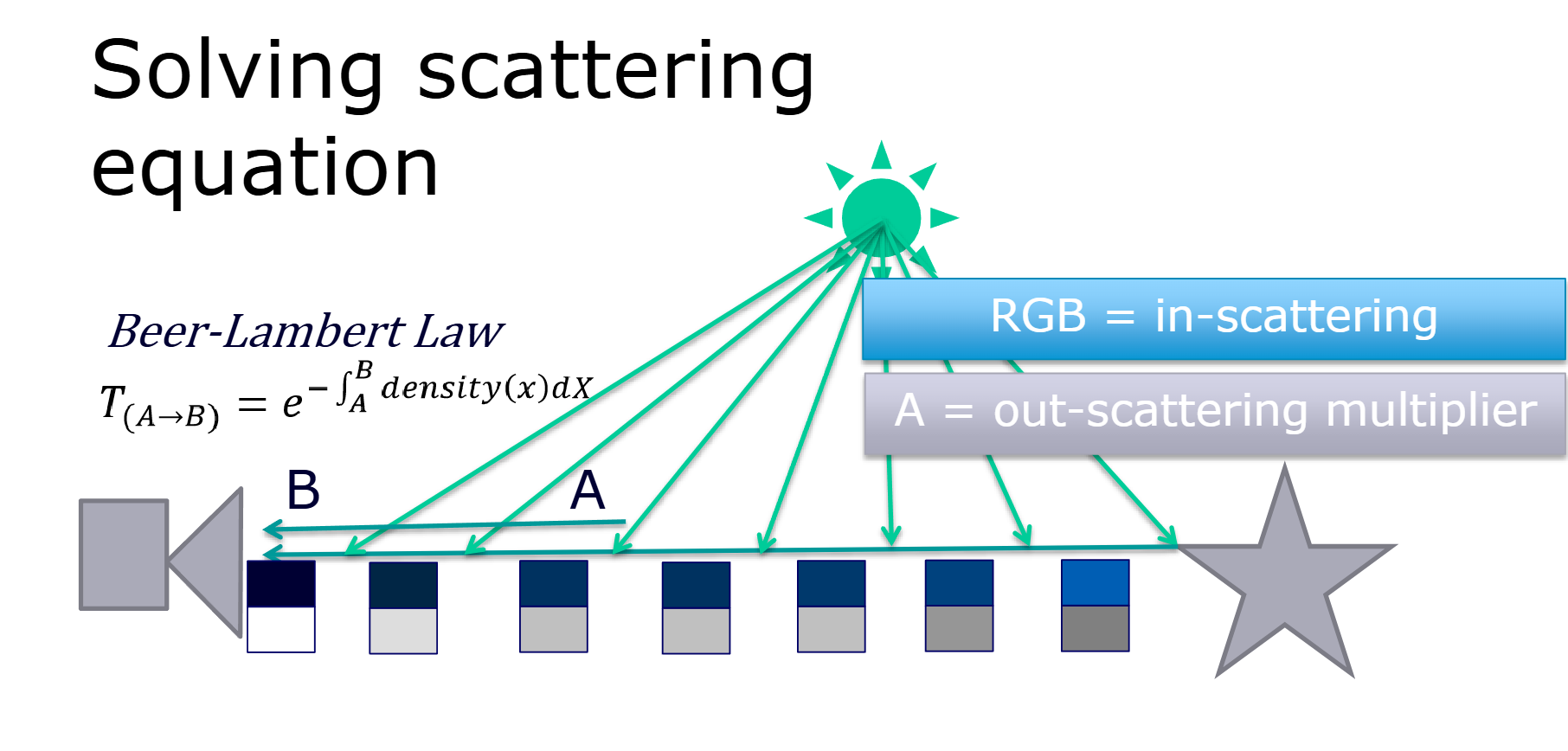
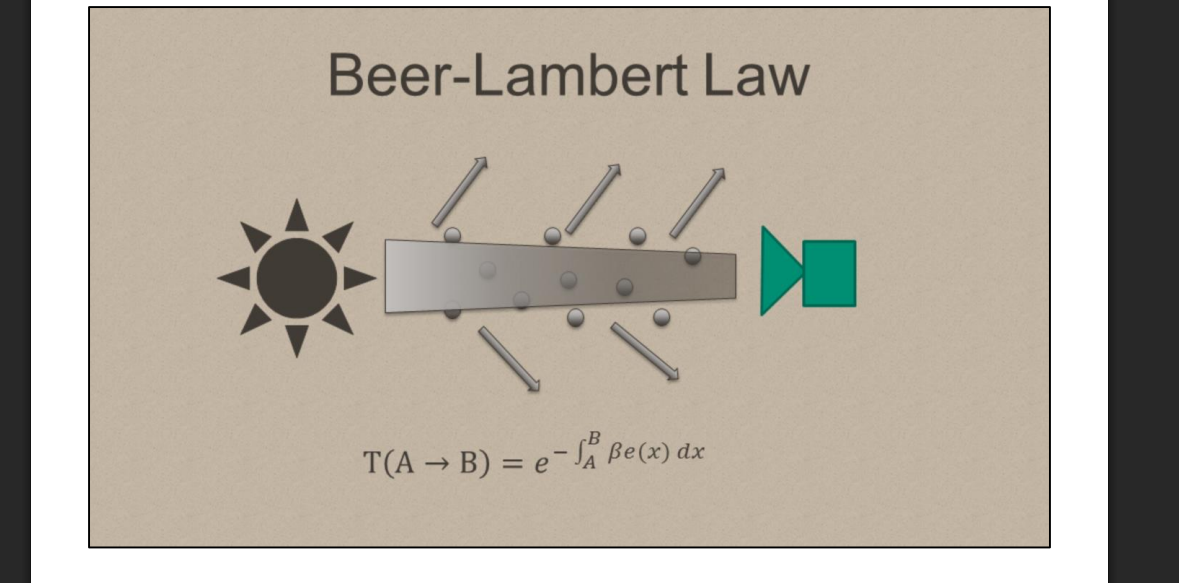
比尔-朗伯定律
从公式来看就是指数衰减,然后指数是密度乘以每段的距离dx然后加个负号
基础框架
需要先计算每次步进的距离
float3 rayStart = _WorldSpaceCameraPos;
float3 rayEnd = worldPos.xyz;
float3 rayDir = normalize(rayEnd - rayStart);
float rayLength = length(rayEnd - rayStart);
然后计算透射率
 // 透射率累积 extinction ratio 消光比
float extinction = density * stepSize;
transmittance *= exp(-extinction);
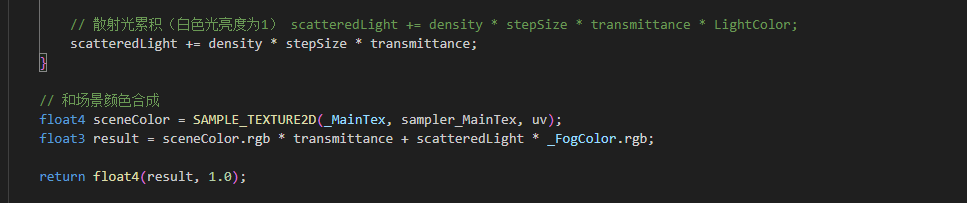
然后就是散射光积累和混合场景颜色,这里先不接入场景光源颜色,直接给1,白色光
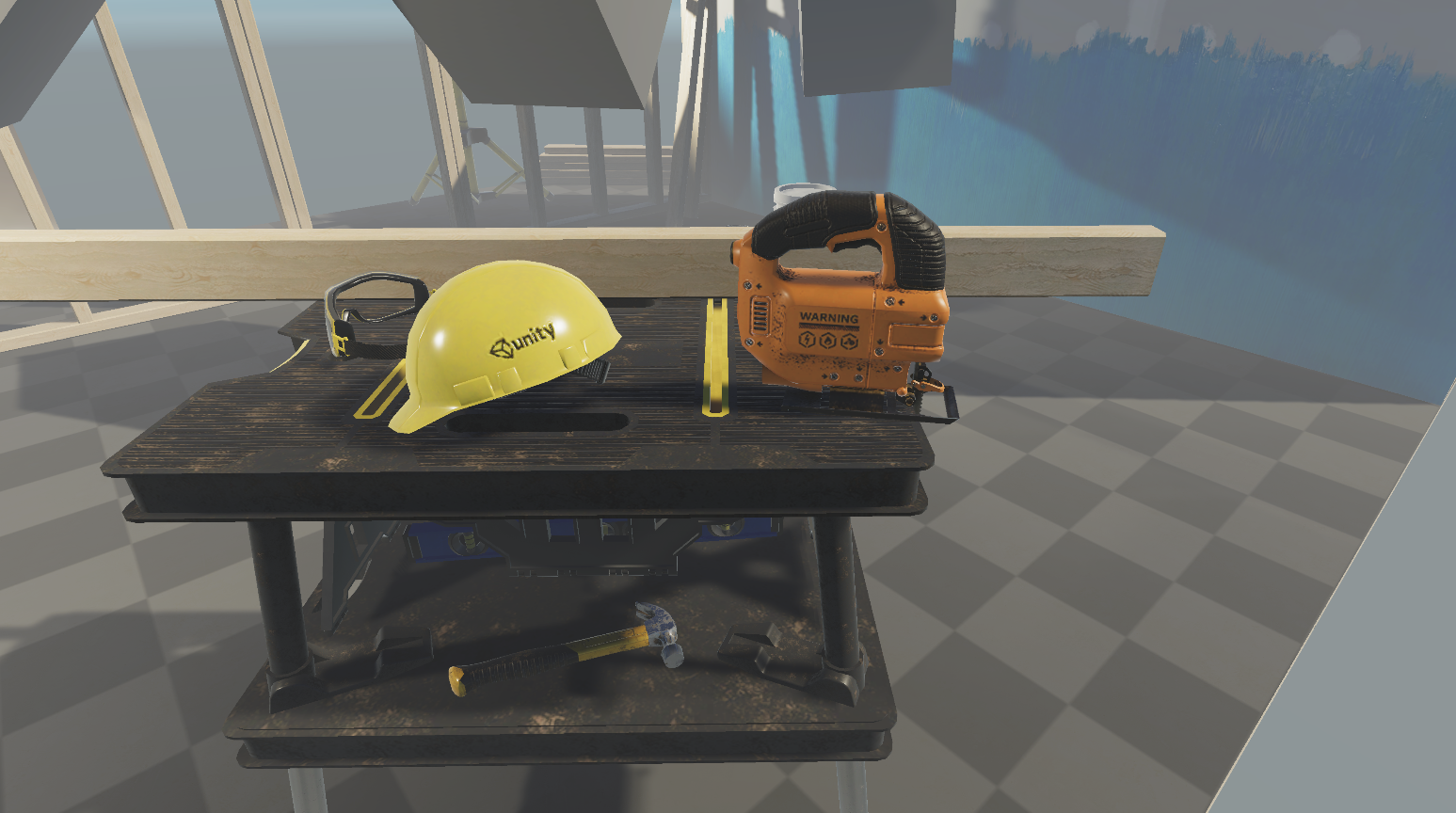
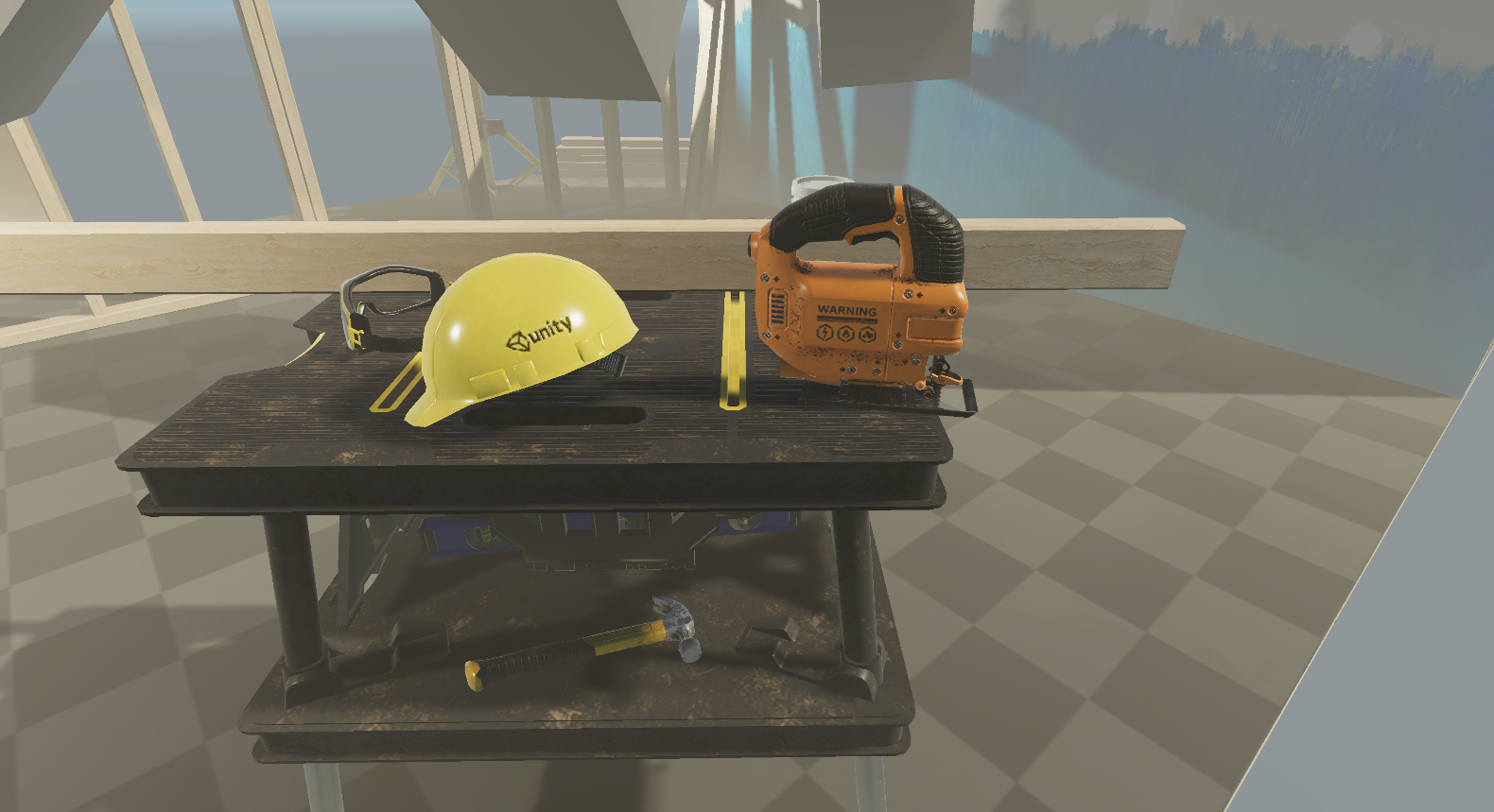
当前效果
追加光源影响,现在光源是偏黄的


相位函数
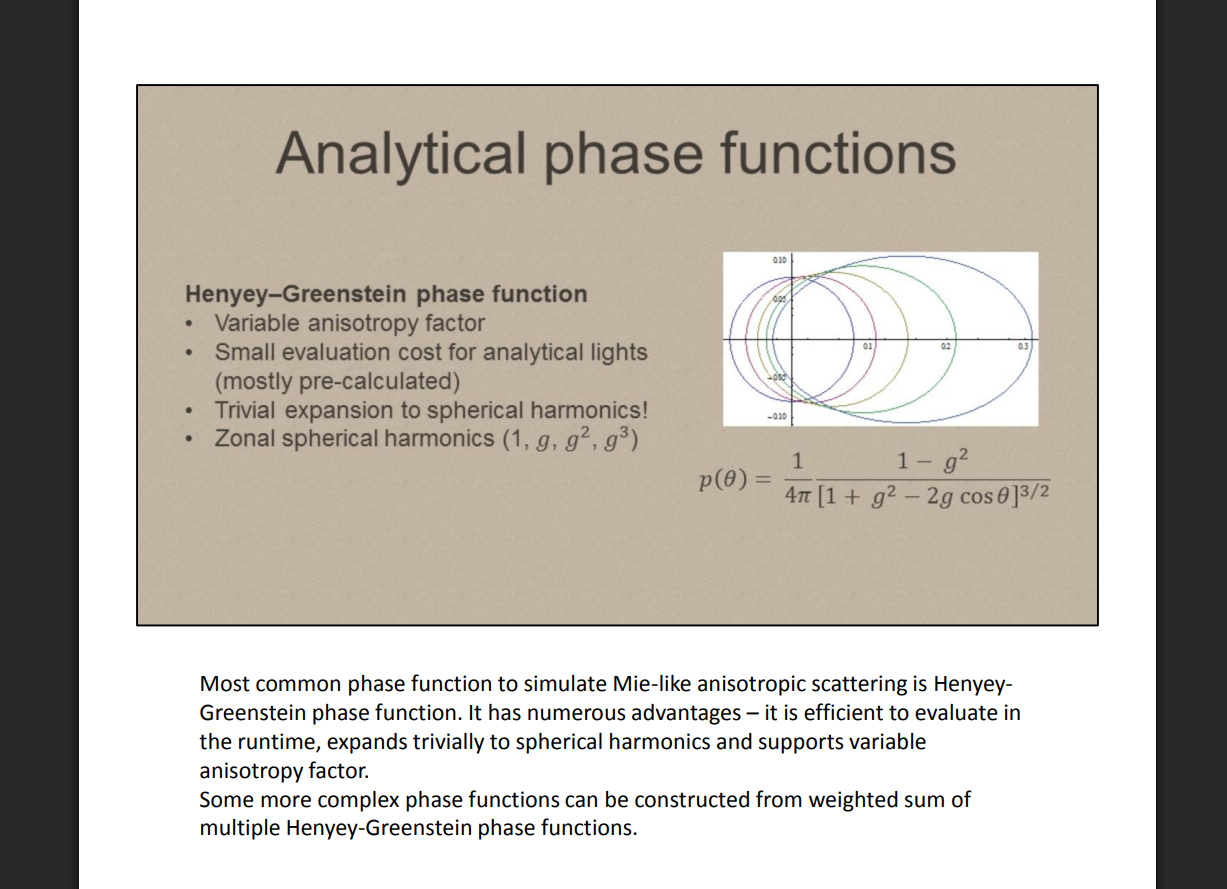
**当前效果是雾从四面八方都是一样的密度,但是往各个方向散射的概率分布应该是不一样的,比如顺光侧和逆光侧,逆光时雾应该更明显,顺光则更微弱。
float HenyeyGreenstein(float cosTheta, float g)
{
	float g2 = g * g;
	return (1.0 - g2) / (4.0 * PI * pow(1.0 + g2 - 2.0 * g * cosTheta, 1.5));
}
加入到散射光计算中

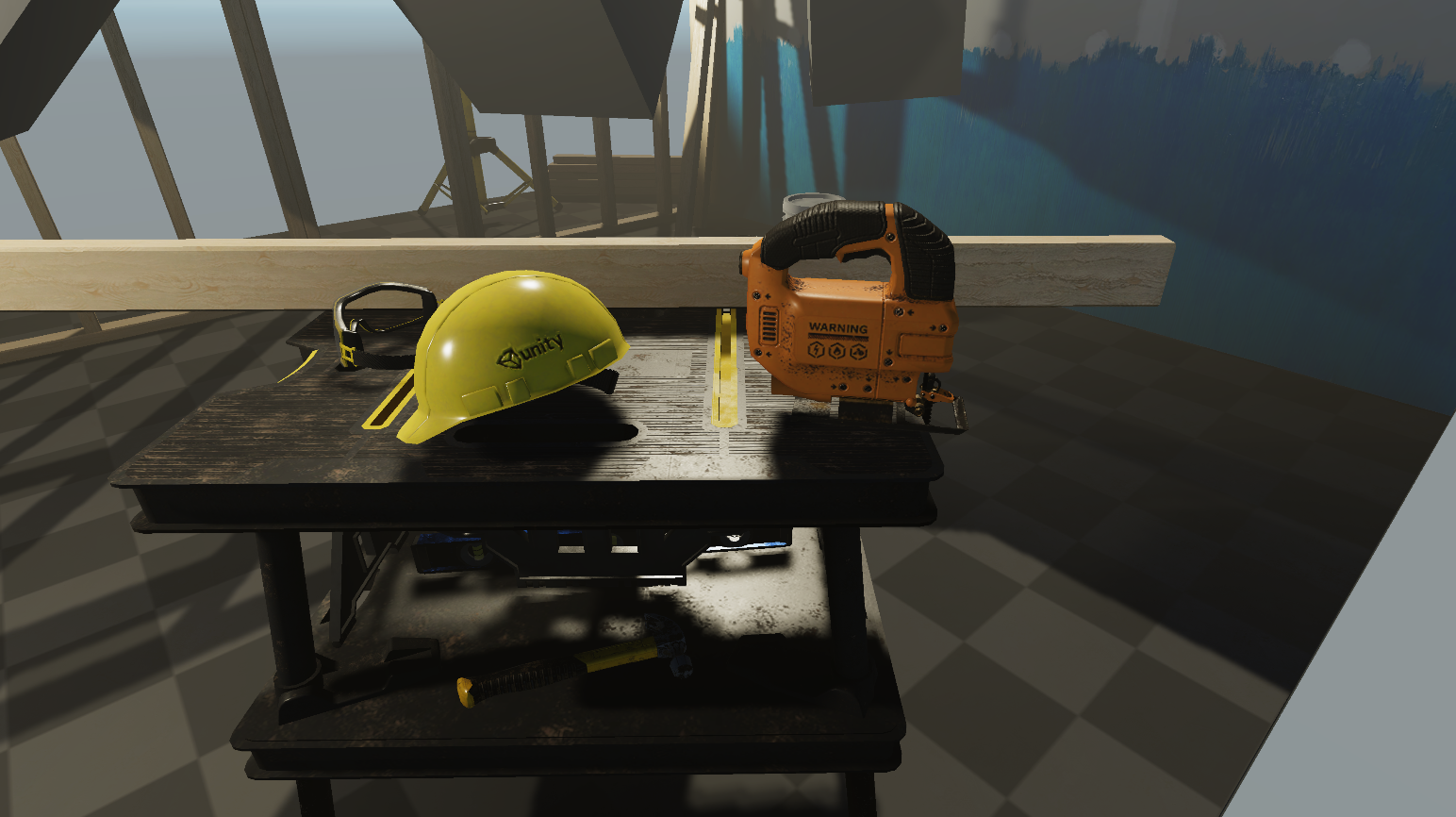
当前效果如下,当前并没有上帝光的效果,或者说丁达尔的效果,这需要加上阴影的采样
阴影采样(上帝光)
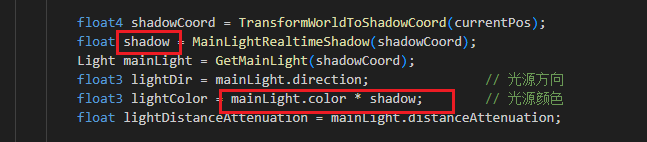
在每次步进的时候对阴影进行采样,这样就可以得到上帝光效果了
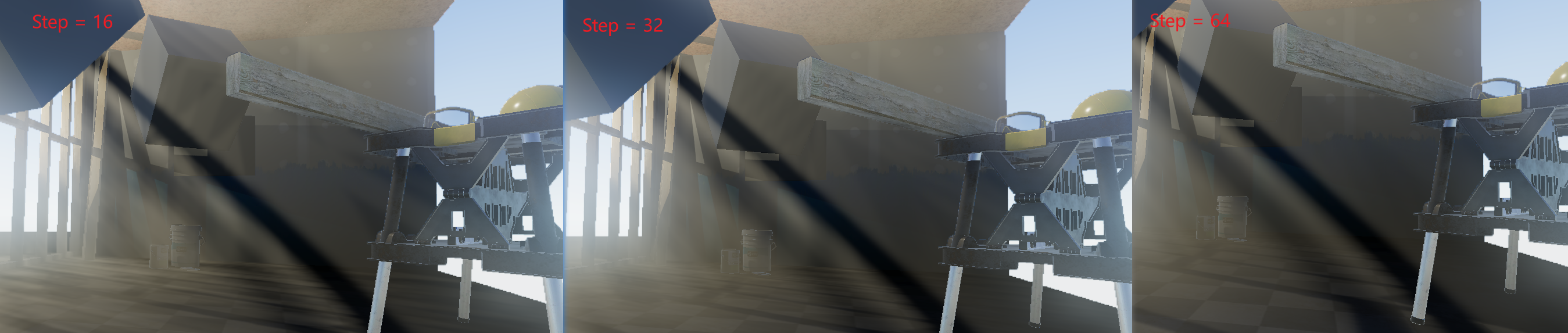
当级联阴影层数的前两层差距几乎没有的时候,这时候低步进次数比如16,效果最为平滑,但是阴影会更模糊,但是治标不治本,这里只是一种调整方法
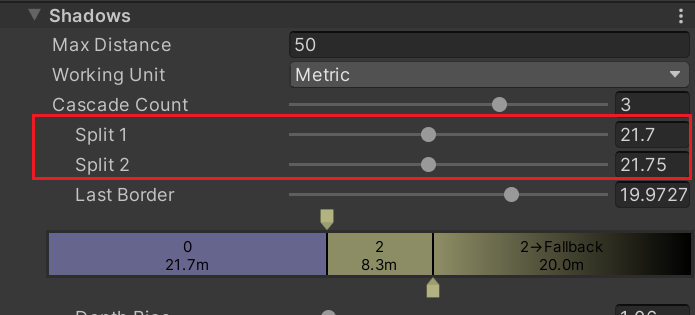
效果如下
正常情况下,层级应该是递增的
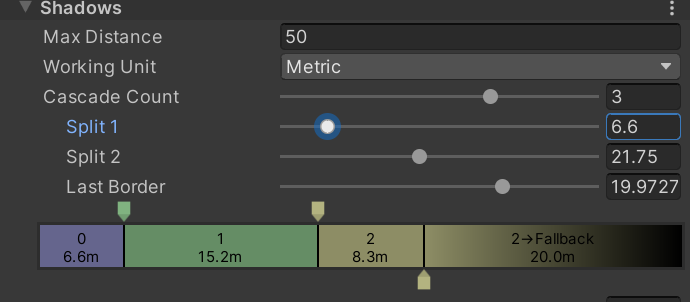
这样步进为16和32,中间阴影都会出现些问题,有伪影产生
这里文档中也提到了这个问题
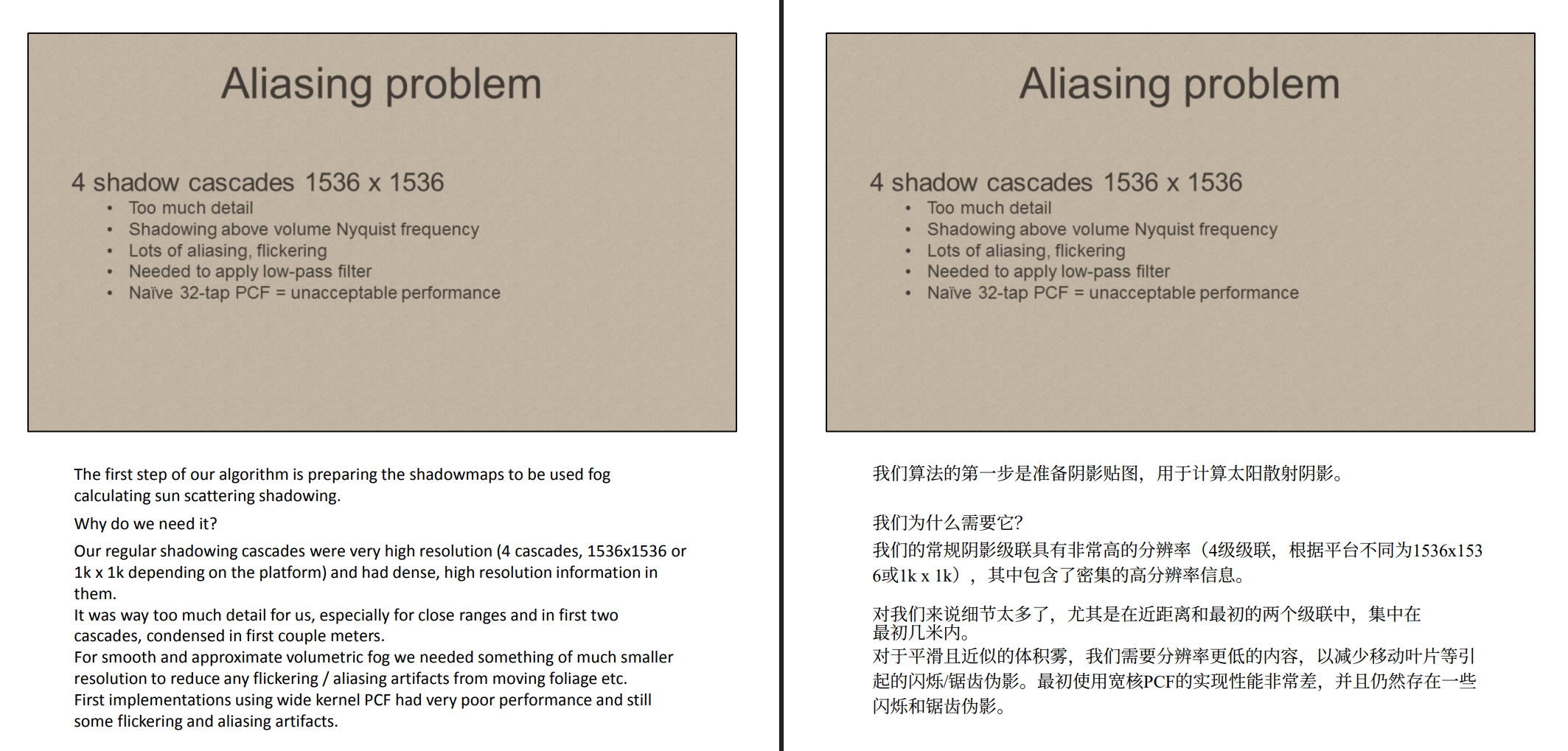
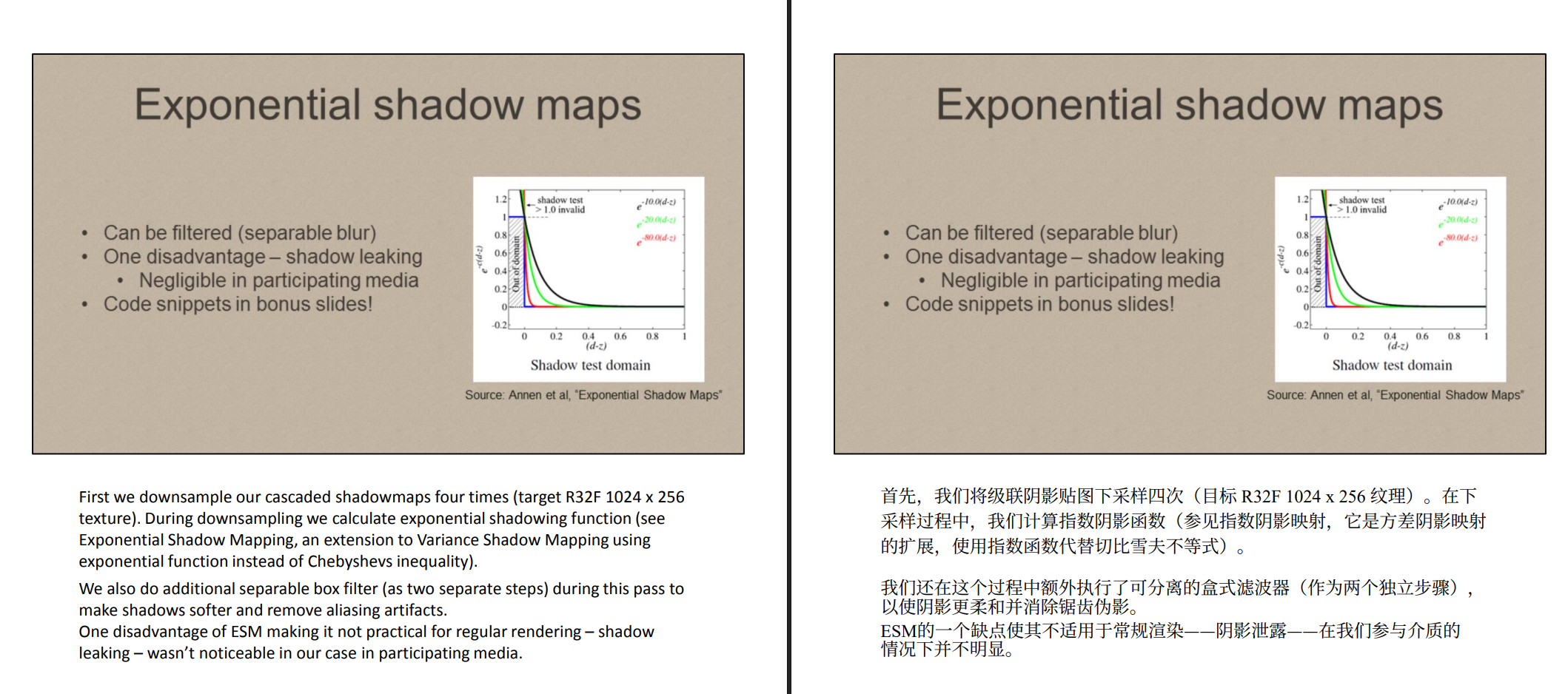
这里的解决方法是指数级的采样shadowmap,比较复杂我这里没有实现,暂时留个坑
jitter抖动偏移
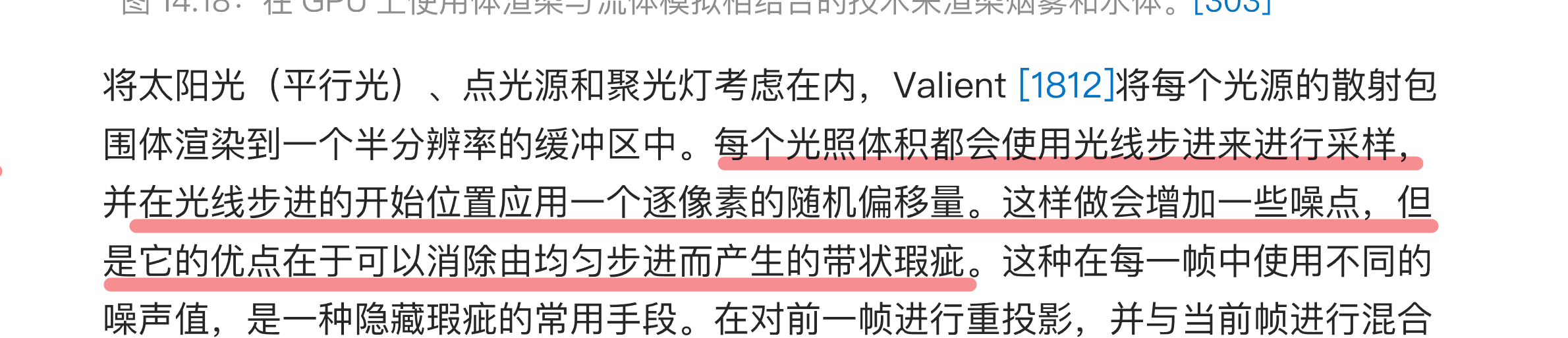
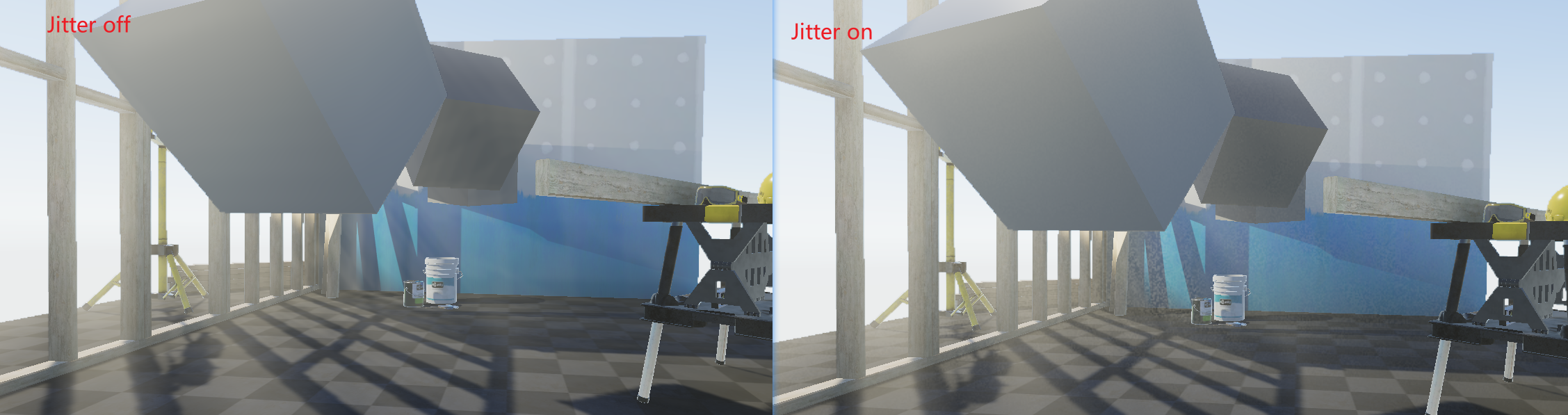
为了缓解伪影的问题,这里对每次采样起点进行jitter,这个方法在RTR4中也有提及

可以看到jitter后伪影得到缓解,但是会有微小噪点
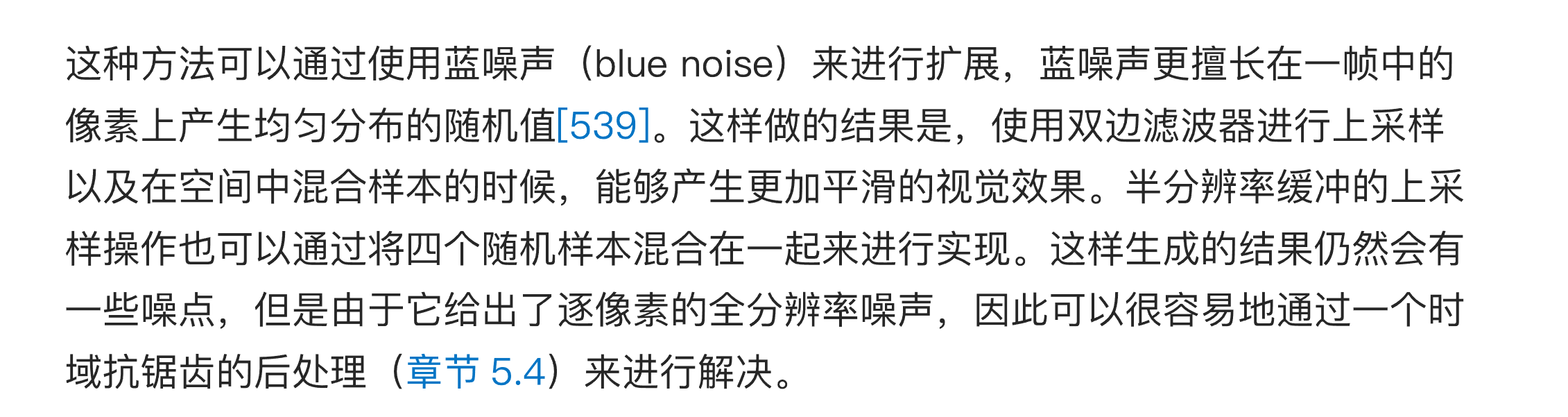
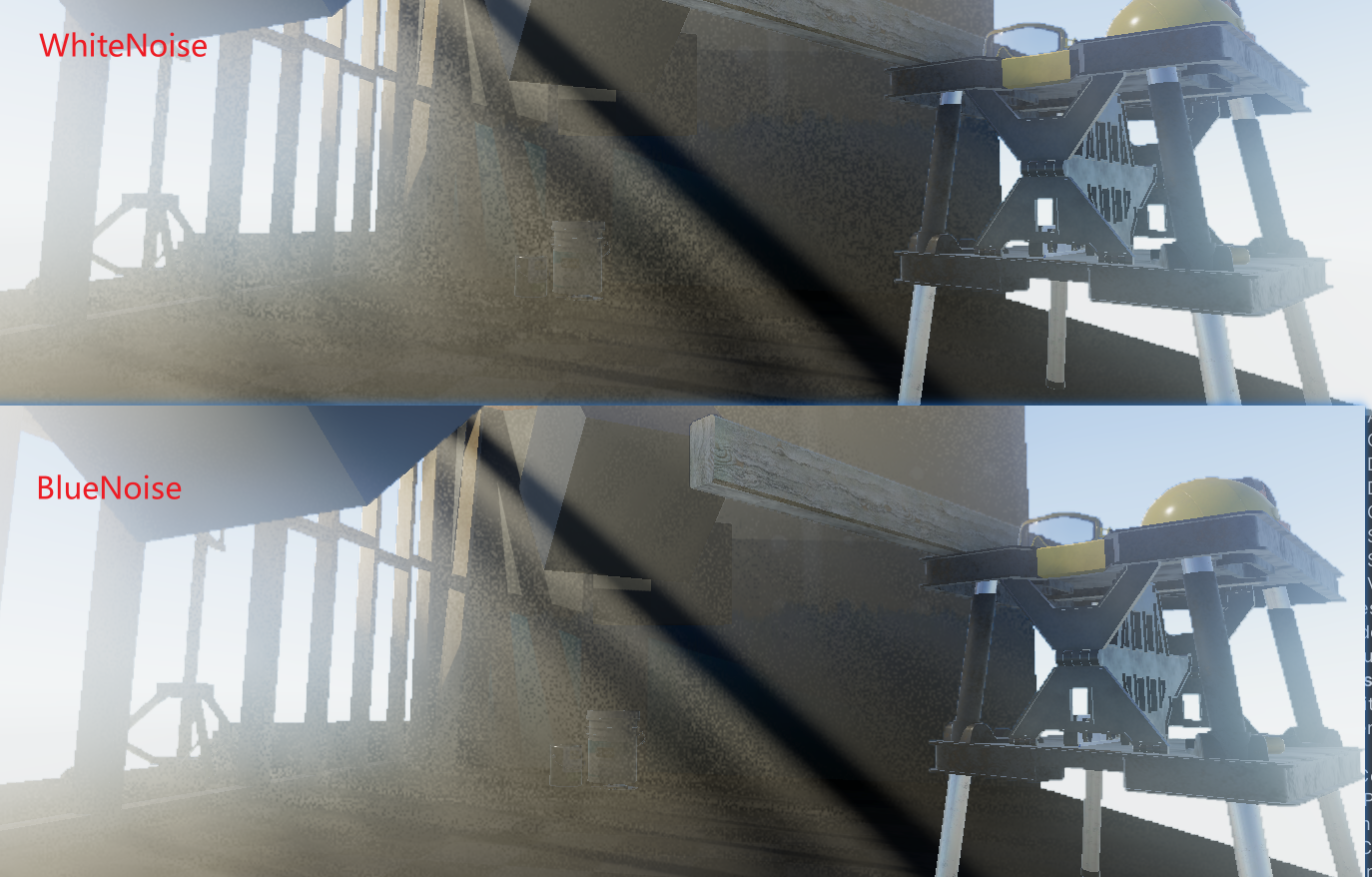
蓝噪声,这些噪点过于明显。所以使用蓝噪声来进行优化
其实就是直接采样蓝噪声贴图就行 贴图下载地址是https://momentsingraphics.de/BlueNoise.html

可以看到感知的噪点减少,也更自然,当然噪点还是不能有的,就需要像TAA那样进行时域累积,来消除微小噪点,这里暂未实现,后续补充
关于使用jitter的问题,主要还是解决采样步进次数过少,伪影的问题,也是为了节省性能,如果不用jitter,明显是步进次数越多越好的,直接调整步数就好
半分辨优化
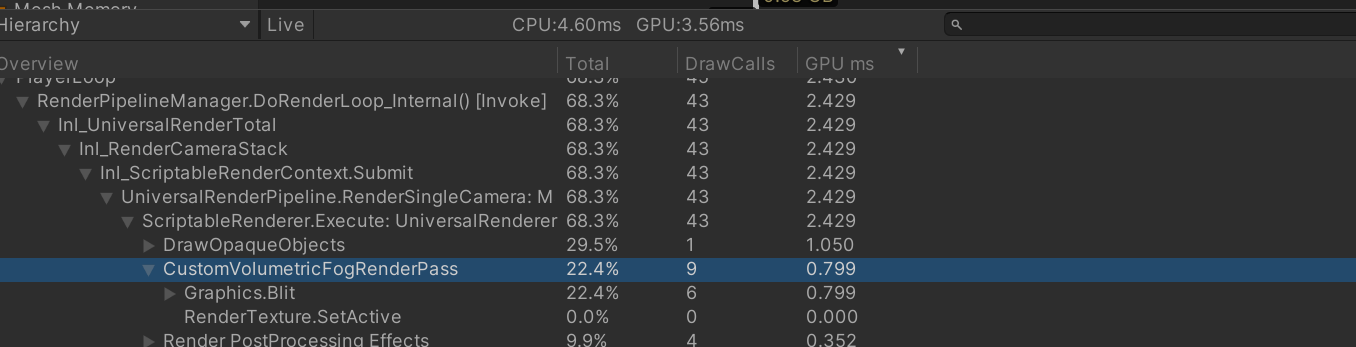
当前步进次数和开销在4k下开销很大,这里将雾效的计算降到半分辨率,在混合回来
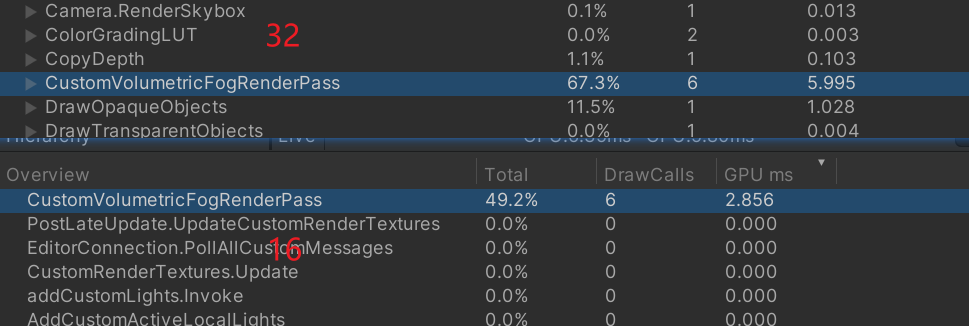
优化后,16次的步进在1ms左右
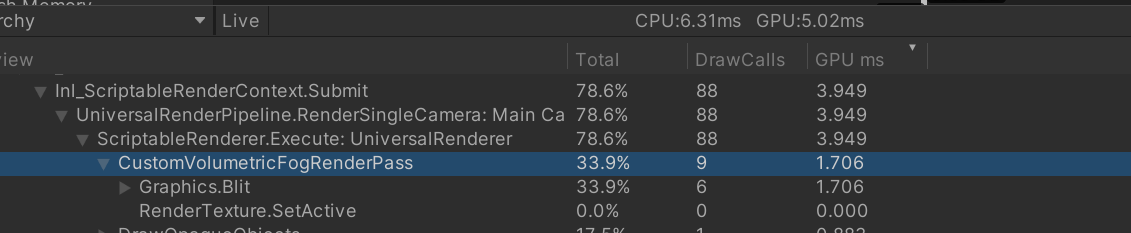
一般都是使用32次步进以上,这里32次步进耗时还可以
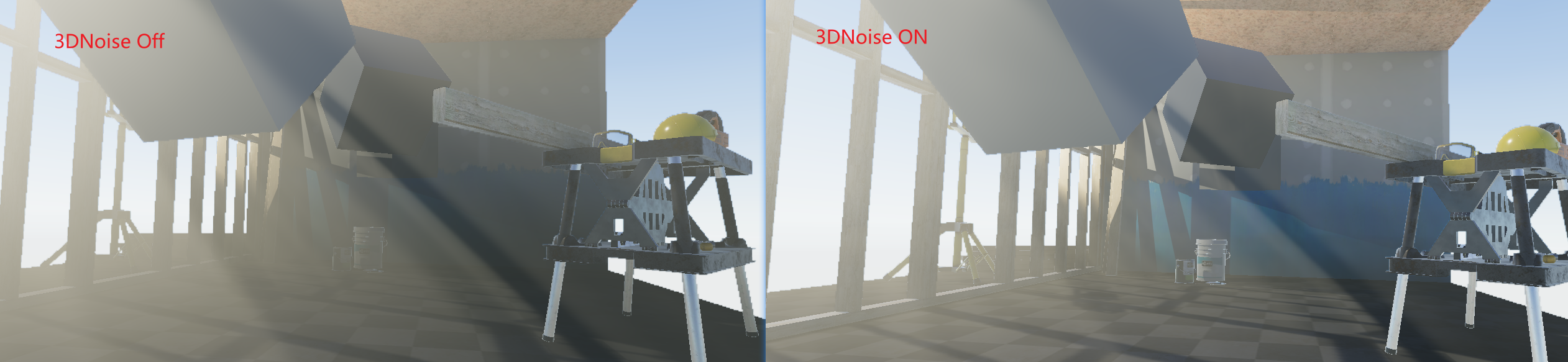
增加3DNoise
防止密度过于均匀,这里添加了一个3d体积的Noise进行扰动,用ai写了一个生成3d纹理的脚本,这个放在最后

大致效果如下
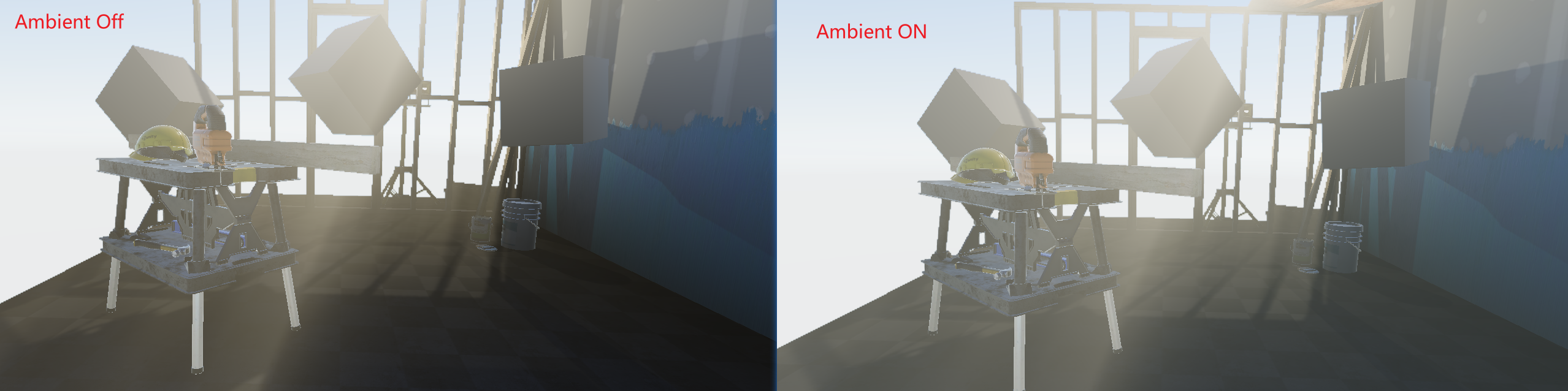
添加环境光
对于环境光,我直接使用最简单的方法,给定颜色方便调整,没有使用内置,因为内置的天光调整比较烦人。

直接加到散射积累中就行

效果大致就是这样,给暗部加点亮度
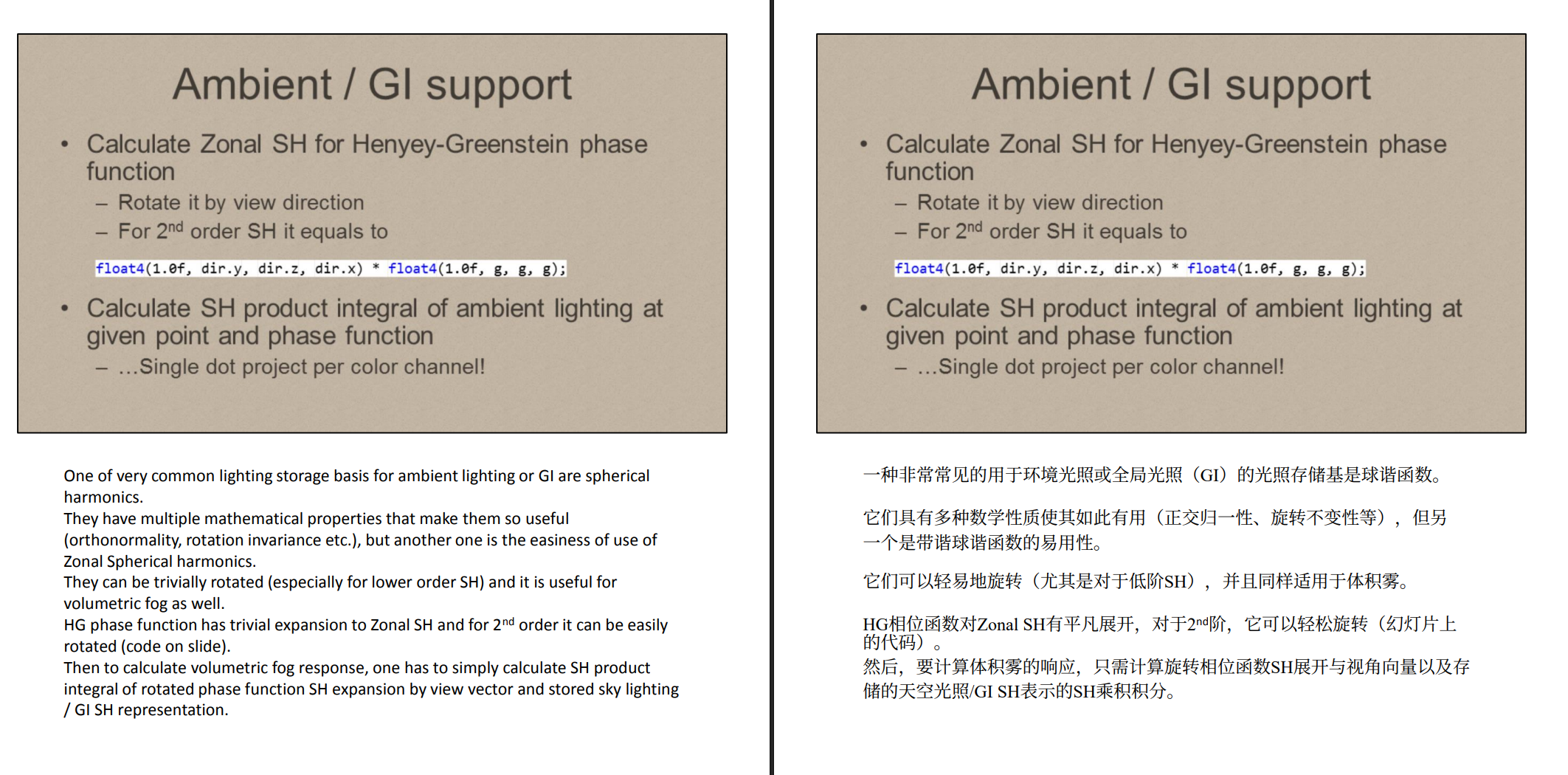
对于文档中提到了使用SH,我这里没有使用,因为是作用于整个场景,需要手动传入场景的SH系数,不能像物体shader一样直接使用SH内置函数,使用SH物理更正确,当然开销也更大一点
关于多光源的问题
我尝试在Shader中获取多光源,但是发现根本没有数据,后面查到GetAdditionalLightsCount()和GetAdditionalLight()是per-object设置的,在对象渲染阶段由Unity填充,后处理Pass里这些数据根本不可用。所以解决办法只能从C#进行传入,这个暂时没有添加,后续在补**
最后效果就是这样,这里密度比较低,不过能看见光轴
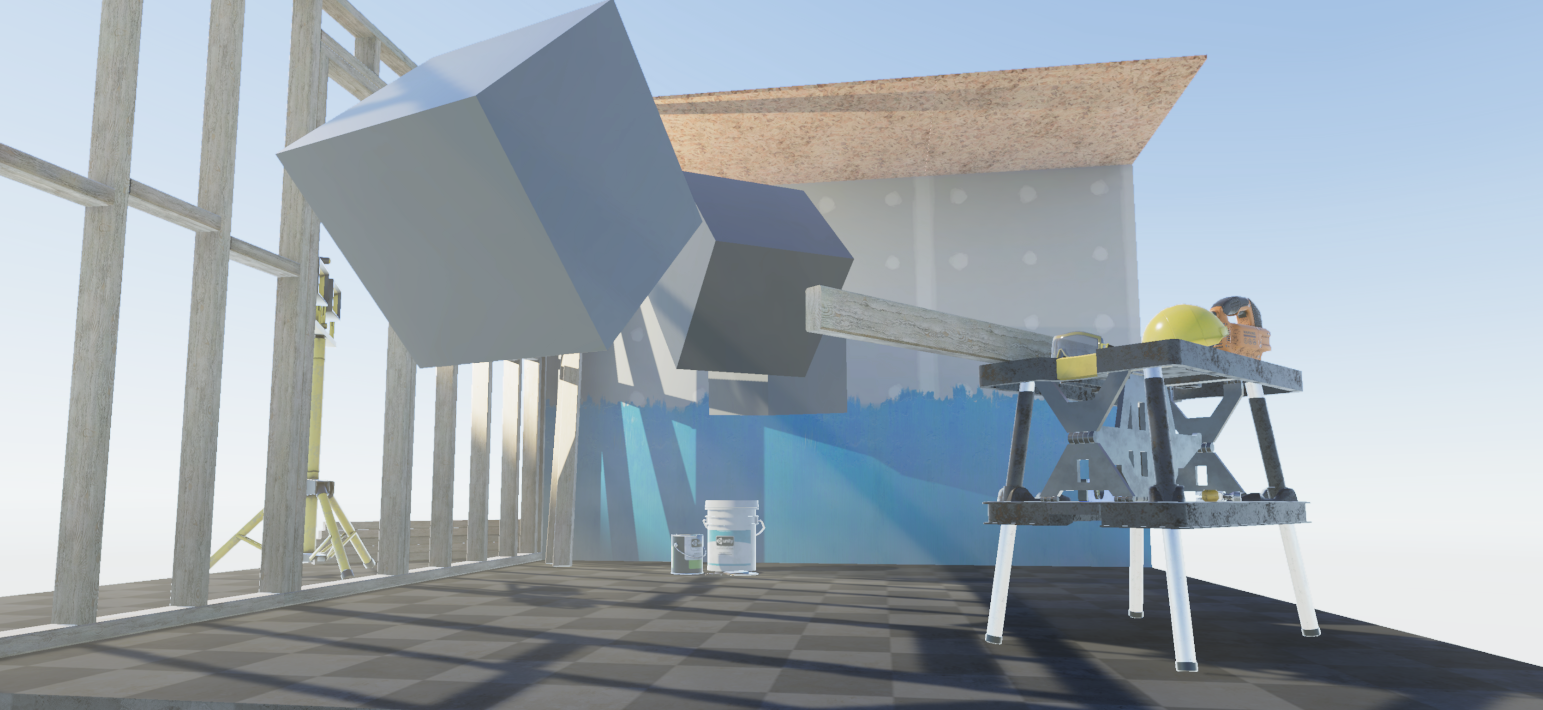
浓度调高,侧面对比遮阳部分效果更明显一些
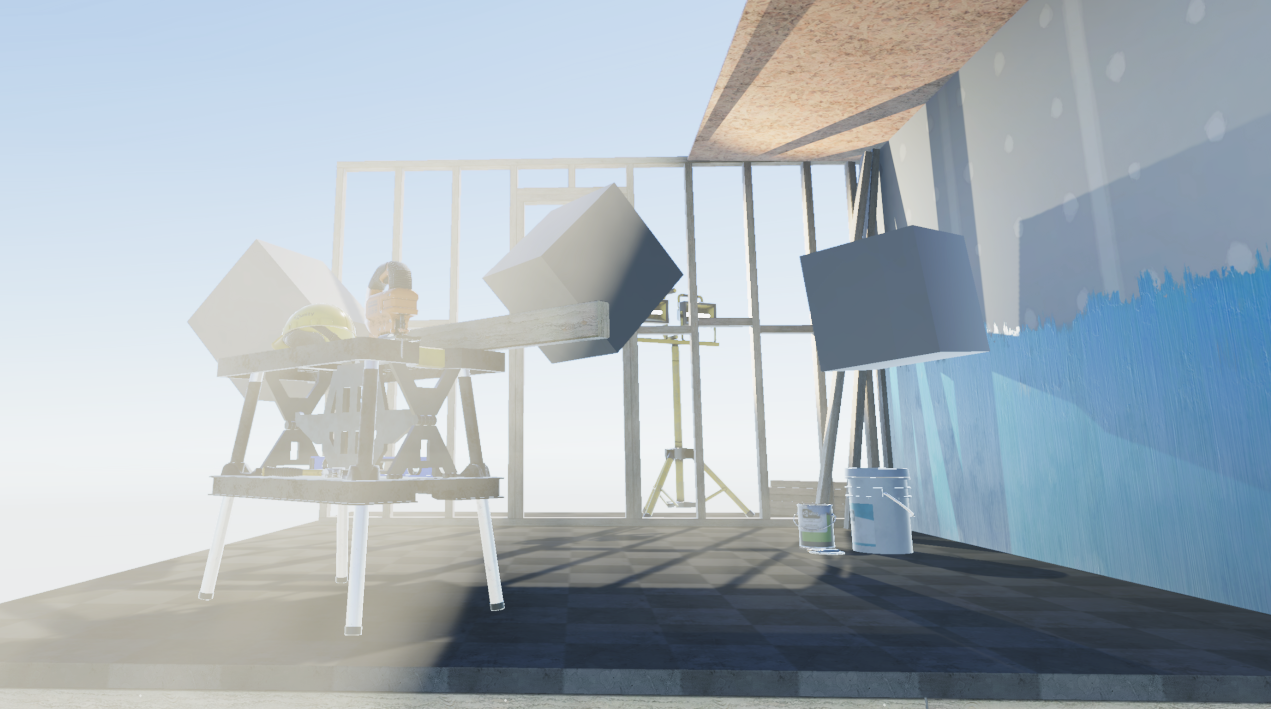
核心代码
 // Pass 0: CustomVolumetricFog
Pass
{
	Name "CustomVolumetricFog"
	HLSLPROGRAM
	#pragma vertex vert
	#pragma fragment frag
	#pragma multi_compile _ _ADDITIONAL_LIGHTS //开启多光源计算

	// 相位函数
	float HenyeyGreenstein(float cosTheta, float g)
	{
		float g2 = g * g;
		return (1.0 - g2) / (4.0 * PI * pow(1.0 + g2 - 2.0 * g * cosTheta, 1.5));
	}

	float4 frag(Varyings input) : SV_Target
	{
		float2 uv = input.uv;

		float rawDepth = SampleSceneDepth(uv);
		float depth = LinearEyeDepth(rawDepth, _ZBufferParams);
		if (rawDepth == 0.0)
		{
			return SAMPLE_TEXTURE2D(_MainTex, sampler_MainTex, uv);
		}
		//利用从 C# 传过来的 _InverseProjection 重建观察空间坐标
		float4 ndc = float4(uv * 2.0 - 1.0, rawDepth, 1.0);
		float4 worldPos = mul(_InverseVP, ndc);
		worldPos /= worldPos.w;

		// ======== 射线步进 ========
		// 射线终点:worldPos.xyz(当前像素对应的世界坐标)
		// 射线起点:相机世界坐标_WorldSpaceCameraPos(URP内置变量,不需要额外传)
		float3 rayStart = _WorldSpaceCameraPos;
		float3 rayEnd = worldPos.xyz;
		float3 rayDir = normalize(rayEnd - rayStart);
		float rayLength = length(rayEnd - rayStart);

		// 步进
		//int stepCount = 64;
		float stepSize = rayLength / (float)SAMPLE_COUNT;
		float3 currentPos = rayStart;

		float3 scatteredLight = 0;
		float transmittance = 1.0;
		// ===== 环境光 =====
		// float3 ambient = unity_AmbientSky.rgb * _AmbientIntensity; 内置skyColor
		float3 ambient = _AmbientColor.xyz * _AmbientIntensity;


		if(_UseStepJitter)
		{
			// 在步进之前加随机偏移
			//float jitter = frac(sin(dot(uv, float2(12.9898, 78.233))) * 43758.5453);
			float2 noiseUV = input.uv * _ScreenParams.xy * _BlueNoiseTex_TexelSize.xy;
			float jitter = SAMPLE_TEXTURE2D(_BlueNoiseTex, sampler_BlueNoiseTex, noiseUV * _BlueNoiseTileScale).r;
			currentPos += rayDir * stepSize * jitter;
		}

		for (int i = 0; i < SAMPLE_COUNT; i++)
		{

			currentPos += rayDir * stepSize;
			// 密度(高度雾)
			float density = exp(-currentPos.y * _FogFalloff) * _FogDensity;
			float noise = SAMPLE_TEXTURE3D(_NoiseTex, sampler_NoiseTex, currentPos * _NoiseScale).r;
			density *= lerp(1.0, noise, _NoiseStrength);

			//float density = max(0, _FogDensity * exp(-currentPos.y * _FogFalloff));

			// 透射率累积
			float extinction = density * stepSize;

			// 阴影和光照
			float4 shadowCoord = TransformWorldToShadowCoord(currentPos);
			float shadow = MainLightRealtimeShadow(shadowCoord);
			Light mainLight = GetMainLight(shadowCoord);
			float3 lightDir = mainLight.direction;               // 光源方向
			float3 lightColor = mainLight.color * shadow;        // 光源颜色
			// 相位函数影响
			float cosTheta = dot(rayDir, mainLight.direction);
			float phase = HenyeyGreenstein(cosTheta, _Anisotropy);

			// 环境光影响
			float3 ambientScatter = ambient * (1.0 / (4.0 * PI));

			// 散射光累积(白色光亮度为1) scatteredLight += density * stepSize * transmittance * LightColor;
			scatteredLight += density * stepSize * transmittance * (lightColor * phase + ambientScatter);


			// 透射率累积 更新透射率
			transmittance *= exp(-extinction);

			if(transmittance < 0.01) break;
		}


		float3 result = (scatteredLight * _FogColor.rgb) * _ScatterIntensity;

		return float4(result, transmittance);

	}
	ENDHLSL
}
3DNoise生成脚本
using UnityEngine;
using UnityEditor;

public class Texture3DGenerator : EditorWindow
{
    private int resolution = 64;
    private float perlinScale = 4f;
    private float worleyScale = 3f;
    private float worleyWeight = 0.5f;
    private string savePath = "Assets/Textures/FogNoise3D.asset";

    [MenuItem("Tools/Generate Fog Noise 3D")]
    public static void ShowWindow()
    {
        GetWindow<Texture3DGenerator>("Fog Noise 3D Generator");
    }

    private void OnGUI()
    {
        GUILayout.Label("3D Noise Settings", EditorStyles.boldLabel);
        resolution = EditorGUILayout.IntField("Resolution", resolution);
        perlinScale = EditorGUILayout.FloatField("Perlin Scale", perlinScale);
        worleyScale = EditorGUILayout.FloatField("Worley Scale", worleyScale);
        worleyWeight = EditorGUILayout.Slider("Worley Weight", worleyWeight, 0f, 1f);
        savePath = EditorGUILayout.TextField("Save Path", savePath);

        if (GUILayout.Button("Generate"))
        {
            GenerateTexture3D();
        }
    }

    private void GenerateTexture3D()
    {
        Texture3D texture = new Texture3D(resolution, resolution, resolution, TextureFormat.RFloat, false);
        texture.wrapMode = TextureWrapMode.Repeat;
        texture.filterMode = FilterMode.Bilinear;

        Color[] colors = new Color[resolution * resolution * resolution];

        for (int z = 0; z < resolution; z++)
        for (int y = 0; y < resolution; y++)
        for (int x = 0; x < resolution; x++)
        {
            float u = (float)x / resolution;
            float v = (float)y / resolution;
            float w = (float)z / resolution;

            float perlin = SamplePerlin3D(u * perlinScale, v * perlinScale, w * perlinScale);
            float worley = SampleWorley3D(u * worleyScale, v * worleyScale, w * worleyScale);

            // Worley取反让云团是亮的
            float value = Mathf.Lerp(perlin, 1f - worley, worleyWeight);
            value = Mathf.Clamp01(value);

            int idx = x + y * resolution + z * resolution * resolution;
            colors[idx] = new Color(value, 0, 0, 0);
        }

        texture.SetPixels(colors);
        texture.Apply();

        AssetDatabase.CreateAsset(texture, savePath);
        AssetDatabase.SaveAssets();
        Debug.Log($"3D Noise Texture saved to {savePath}");
    }

    // 3D Perlin噪声(用Unity内置,叠加三轴)
    private float SamplePerlin3D(float x, float y, float z)
    {
        float xy = Mathf.PerlinNoise(x, y);
        float yz = Mathf.PerlinNoise(y, z);
        float xz = Mathf.PerlinNoise(x, z);
        float yx = Mathf.PerlinNoise(y, x);
        float zy = Mathf.PerlinNoise(z, y);
        float zx = Mathf.PerlinNoise(z, x);
        return (xy + yz + xz + yx + zy + zx) / 6f;
    }

    // Worley噪声(细胞噪声)
    private float SampleWorley3D(float x, float y, float z)
    {
        int ix = Mathf.FloorToInt(x);
        int iy = Mathf.FloorToInt(y);
        int iz = Mathf.FloorToInt(z);

        float minDist = float.MaxValue;

        for (int dz = -1; dz <= 1; dz++)
        for (int dy = -1; dy <= 1; dy++)
        for (int dx = -1; dx <= 1; dx++)
        {
            Vector3 cellOrigin = new Vector3(ix + dx, iy + dy, iz + dz);
            Vector3 rand = Random3(cellOrigin);
            Vector3 featurePoint = cellOrigin + rand;

            float dist = Vector3.Distance(new Vector3(x, y, z), featurePoint);
            minDist = Mathf.Min(minDist, dist);
        }

        return Mathf.Clamp01(minDist);
    }

    private Vector3 Random3(Vector3 p)
    {
        float x = Mathf.Abs(Mathf.Sin(Vector3.Dot(p, new Vector3(127.1f, 311.7f, 74.7f)))) * 43758.5453f;
        float y = Mathf.Abs(Mathf.Sin(Vector3.Dot(p, new Vector3(269.5f, 183.3f, 246.1f)))) * 43758.5453f;
        float z = Mathf.Abs(Mathf.Sin(Vector3.Dot(p, new Vector3(113.5f, 271.9f, 124.6f)))) * 43758.5453f;
        return new Vector3(x - Mathf.Floor(x), y - Mathf.Floor(y), z - Mathf.Floor(z));
    }
}